
On-premises to cloud migration: benefits and real cost savings

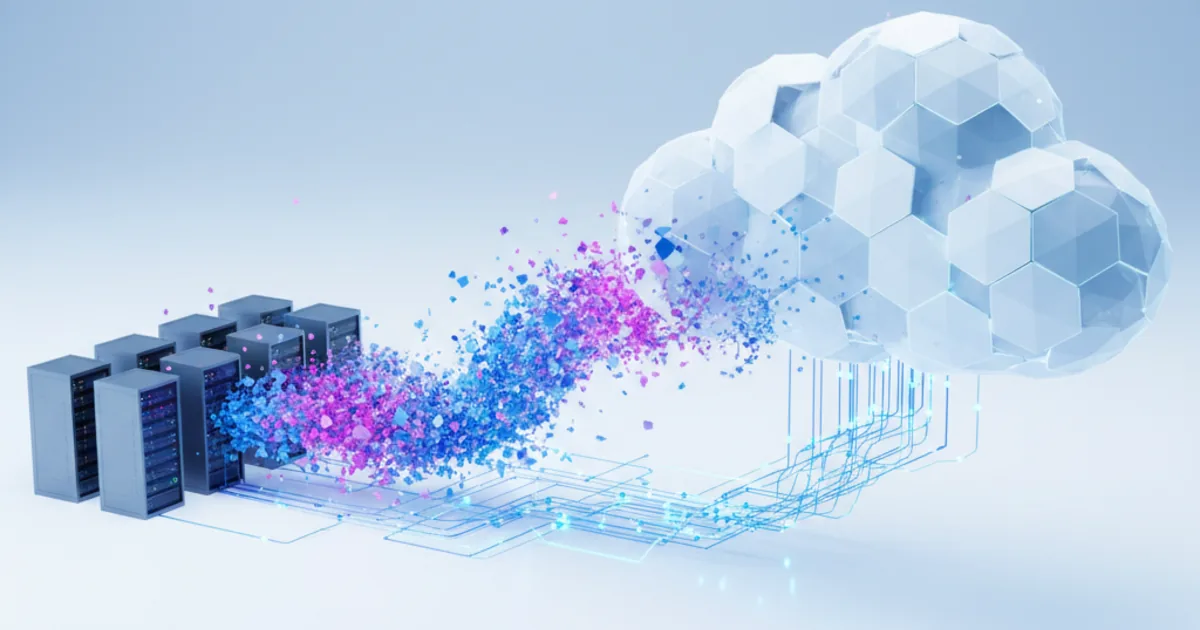
The main benefits of cloud migration from on-premises are no up-front hardware spend, capacity on demand, faster provisioning, cheaper resilience and less time spent running data centers. Cost savings are real but not automatic: they come from right-sizing, switching off idle capacity and retiring hardware, and many organizations still waste part of their cloud bill.
Key takeaways
- Moving to cloud turns capital expense (servers, storage, facilities, refresh cycles) into variable expense you can scale down.
- The biggest savings come from not paying for idle capacity, not from cheaper servers. Lift-and-shift without right-sizing often costs more.
- Flexera's 2025 survey estimates that 27% of IaaS and PaaS spend is still wasted, so cost management has to start on day one.
- Budget for one-time costs: assessment, migration labor, a period of running both environments, training and new tooling.
- Decide per application using the 7 Rs. Retiring unused applications is often the cheapest win.
- Opsio customer Branäsgruppen cut total cost of ownership by 40% after moving from on-premises VMware to AWS.
What are the benefits of migrating from on-premises to the cloud?
Six benefits show up in almost every business case. Their weight depends on how variable your demand is and how old your current hardware is.
1. Pay for use instead of buying ahead
AWS summarizes the first of its six advantages of cloud computing as "trade fixed expense for variable expense": instead of investing in data centers and servers before you know how you will use them, you pay when you consume resources. Cash that would sit in hardware for five years stays available for the business.
2. Capacity that follows demand
On premises, you size for peak and pay for it all year. In the cloud, you can add capacity for a campaign, a month-end close or a winter season, then release it. This elasticity is where most real savings come from for seasonal or spiky businesses.
3. Faster provisioning and delivery
A new environment takes minutes rather than a purchase order and a delivery date. Teams can test an idea, measure it and delete it, which shortens release cycles and lowers the cost of experiments.
4. Resilience without a second data center
Running across several availability zones, with backups replicated to another region, gives a level of resilience that would otherwise need a second site. Disaster recovery becomes a design choice and a monthly cost rather than a capital project. See our cloud disaster recovery service for how this is set up in practice.
5. A stronger security baseline, if you configure it
The provider secures facilities, hardware and the virtualization layer, and offers encryption, key management, logging and threat detection as services. You remain responsible for identity, configuration and data, so the benefit only appears with good configuration and monitoring.
6. Lower energy use and carbon footprint
Hyperscale data centers use power and cooling more efficiently than most server rooms. An Accenture study commissioned by AWS modeled reference workloads and found AWS up to 4.1 times more energy-efficient than on-premises, with up to 99% lower carbon footprint when optimized. These are simulated, vendor-commissioned results, so treat them as a direction rather than a forecast for your estate.
Where do the cost savings come from?
Savings come from removing costs you carry today, minus the new costs cloud adds. The table shows what typically changes.
| Cost line | On-premises | After migration |
|---|---|---|
| Hardware and refresh | Bought up front, replaced every few years | None; paid as part of usage |
| Facilities, power, cooling | Server room or colocation contract | Included in service prices; space can be released |
| Vendor support contracts | Annual renewals on hardware and software | Mostly replaced by provider support plans |
| Idle capacity | Sized for peak plus growth, paid all year | Scaled to actual demand, if you automate it |
| Disaster recovery | Second site or standby hardware | Cross-zone or cross-region design, priced per use |
| Operations staff time | Racking, patching hardware, firmware, capacity planning | Shifts to architecture, automation and cost management |
| New cost: data transfer | Usually flat-rate network | Egress charges for data leaving the cloud |
| New cost: one-time migration | None | Assessment, migration work, dual running, training |
Two points decide whether the result is positive. First, how much of your current capacity is idle: the more there is, the bigger the saving. Second, whether someone owns cost management after go-live. A FinOps practice, with tagging, budgets, right-sizing and commitment discounts for steady workloads, is what turns lower potential costs into lower actual bills.
Why some migrations do not save money
Cloud bills rise when on-premises habits move unchanged. The common causes:
- Oversized lift-and-shift. Servers sized for a five-year peak are copied one-to-one into instances that run 24/7.
- No owner for spend. Development and test environments run nights and weekends; snapshots and unattached volumes pile up.
- Licensing surprises. Some software licenses cost more, or are not allowed, on shared cloud hardware.
- Chatty architectures. Applications split between cloud and data center move large volumes of data back and forth, and egress adds up.
- Long dual running. Old and new environments are paid for in parallel for months because cutover keeps slipping.
The Flexera 2025 State of the Cloud Report puts estimated wasted IaaS and PaaS spend at 27%, down from a high of 32% four years earlier. The same survey lists understanding application dependencies and assessing technical feasibility as the top migration challenges, with optimizing costs after migration now ranked above comparing on-premises and cloud costs. Cost work does not end at cutover.
Example: 40% lower TCO for a seasonal business
Branäsgruppen, one of Sweden's largest ski resort groups, makes most of its trade between December and April. Its on-premises environment ran on VMware ESXi. Web front-ends, middleware and databases had to be scaled by hand ahead of demand, and deploying software meant taking the whole environment down.
Opsio replatformed the estate to AWS, keeping the application logic and replacing VMware-hosted servers and databases with AWS-managed equivalents, auto-scaling and multi-AZ deployment. The Branäsgruppen case study reports a 40% reduction in total cost of ownership, a 40% improvement in average page responsiveness and 99.9%+ application uptime. The TCO reduction came from right-sized auto-scaling paired with FinOps practices, not from the move alone.
How to build the business case
A credible case compares like with like over three to five years. Work through these steps:
- Inventory. List servers, applications, dependencies, utilization and contract end dates for hardware, support and facilities.
- Baseline your current TCO. Include staff time, power, space, support renewals and the next hardware refresh, not just the server budget.
- Choose a strategy per application. AWS guidance describes seven migration strategies: retire, retain, rehost, relocate, repurchase, replatform and refactor. It suggests retiring applications with average CPU and memory use below 5%. Our explainer on the 7 Rs of AWS migration covers each one.
- Price the target realistically. Use measured utilization, not current server sizes, and apply commitment discounts only to the steady base.
- Add one-time costs. Assessment, migration labor, dual running, training and any re-licensing.
- Set success measures. Monthly run cost, provisioning time, recovery time and availability, measured before and after.
Some workloads will not pass this test. Systems with strict data-location rules, very low latency needs or licenses tied to physical hardware may be better kept on site, possibly as a private cloud. Our guide to the on-premise cloud covers when that is the right answer.
How to keep the savings after go-live
Much of the saving is won or lost in the months right after cutover. A short operating checklist:
- Tag everything by application, environment and owner, so every cost line has a name next to it.
- Set budgets and alerts per account or team, and review them monthly with the people who spend the money.
- Right-size after two to four weeks of real metrics, not before: the first sizes are guesses.
- Schedule non-production environments to stop outside working hours.
- Commit only to the steady base. Use savings plans or reserved capacity for load that runs all year, and on-demand or auto scaling for the rest.
- Clean up old snapshots, unattached volumes and idle load balancers on a fixed schedule.
- Decommission the old hardware and end its support contracts on the planned date, or the savings never reach the budget.
Factors to check before you migrate
- Compliance and data location. Map which data falls under GDPR, sector rules or customer contracts, and pick regions and controls accordingly.
- Dependencies. Move applications that talk to each other in the same wave to avoid latency and egress costs.
- Network. Size the connection for both the data transfer and the hybrid period.
- Skills. Cloud operations need architecture, automation and cost skills. Plan training or a managed service.
- Exit timing. Align cutover with hardware refresh and contract end dates so you stop paying twice.
How Opsio helps
Opsio is an AWS Advanced Tier Services Partner and AWS Migration and Modernization Competency partner. Our AWS migration service runs assessment, mobilize and migrate phases, and our FinOps team keeps run costs in line after go-live.
Frequently asked questions
What are the benefits of cloud migration?
The main benefits are variable instead of fixed costs, capacity that scales with demand, faster provisioning, resilience across availability zones and regions without a second data center, a managed security baseline, and lower energy use. How much each one matters depends on your workloads and how well you manage them after the move.
How much can you save by moving from on-premises to the cloud?
It depends on how much idle capacity you run today and how well you manage cloud costs afterwards. Opsio customer Branäsgruppen reduced total cost of ownership by 40%. Other organizations save little or pay more after an unoptimized lift-and-shift.
What are the disadvantages of moving from on-premises to cloud?
One-time migration costs, egress charges, licensing restrictions on some software, a need for new skills, and less direct control over hardware. Bills also become variable, so without budgets and ownership they can grow faster than expected.
Is cloud always cheaper than on-premises?
No. Steady workloads that keep owned hardware highly utilized can be cheaper on premises. Cloud wins clearly for variable demand, fast growth and environments that can be switched off when not in use.
What is the best migration strategy for cost savings?
Start by retiring what nobody uses, then rehost or replatform the rest with right-sized resources, and refactor only where the business case supports it. AWS recommends rehosting, relocating or replatforming first and modernizing after migration for large estates.
Related reading
Related Articles
About the Author

Editorial standards: This article was written by a certified practitioner, named in the byline above. We revise it when the technology or regulation it covers changes; the dates above show the latest update. Opsio maintains editorial independence — we recommend solutions on technical merit, not commercial relationships.

