
AWS Migration Hub Explained: Your Cloud Transition Solution

Country Manager, India
AI, Manufacturing, DevOps, and Managed Services. 17+ years across Manufacturing, E-commerce, Retail, NBFC & Banking
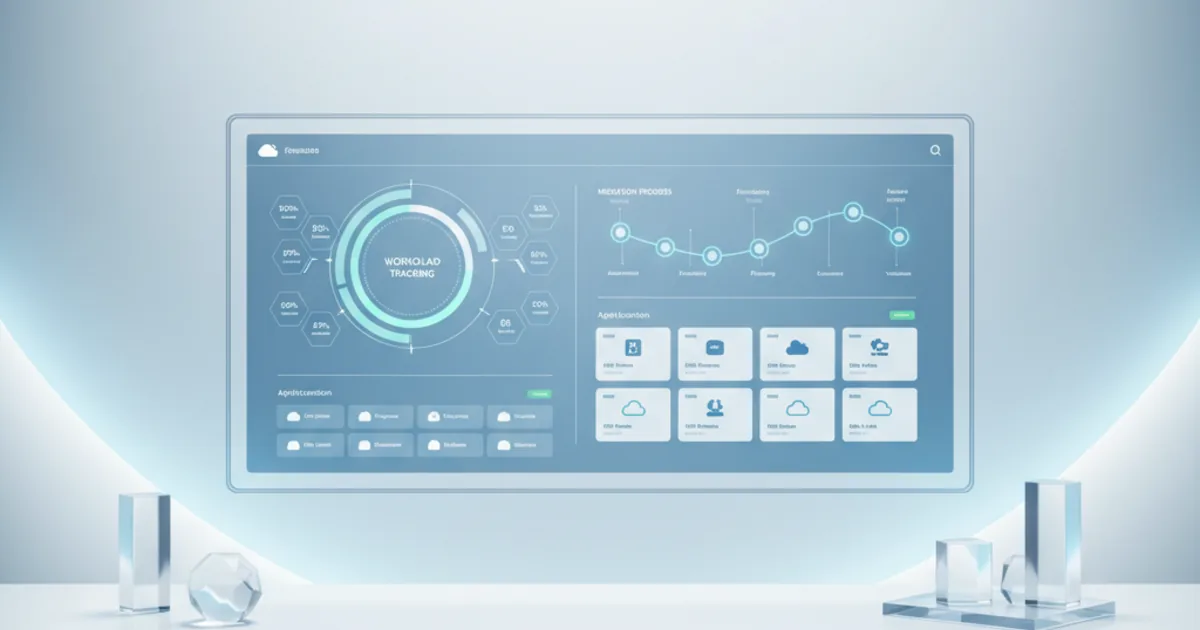
Understanding What Is AWS migration Hub
Cloud migration is a strategic imperative for many organizations today, offering benefits like scalability, cost savings, and enhanced agility. However, migrating complex application portfolios and vast data stores to the cloud can be a daunting task. This often involves numerous tools, diverse workloads, and intricate dependencies, making it challenging to maintain a holistic view of the process.
This is precisely where Amazon Web Services (AWS) steps in with its specialized service. Understanding what is AWS Migration Hub is crucial for any organization embarking on a journey to the AWS cloud. It acts as a central repository and orchestration point for your entire migration effort.
AWS Migration Hub provides a single location to track the progress of application migrations across multiple AWS and partner migration tools. Its primary purpose is to simplify and accelerate your transition to AWS, offering a unified dashboard for comprehensive migration orchestration and monitoring. This service consolidates discovery, planning, and tracking information, making it an indispensable asset for managing complex migrations.
What Are the Key Features of AWS Migration Hub?
AWS Migration Hub is designed with several core features that enable organizations to manage their migration projects effectively. These features work in concert to provide a streamlined, transparent, and controlled migration experience. Let’s explore the capabilities that define what is AWS Migration Hub.
Centralized Tracking and Monitoring
One of the most significant benefits of AWS Migration Hub is its ability to provide a centralized view of your migration status. Regardless of which AWS migration tool you use—be it AWS Server Migration Service (SMS), AWS Database Migration Service (DMS), or third-party solutions—Migration Hub aggregates progress updates. This centralized migration dashboard offers real-time visibility into the status of each application and server being migrated.
Teams can quickly identify bottlenecks, track overall project velocity, and communicate progress to stakeholders with ease. This reduces the operational overhead of checking multiple consoles and tools, providing a single pane of glass for all migration activities. This feature is fundamental to the definition of what is AWS Migration Hub.
Migration Orchestration
AWS Migration Hub goes beyond mere tracking by facilitating migration orchestration across various services. It helps coordinate the movement of applications and their underlying infrastructure components, ensuring that interdependencies are managed correctly. For instance, you can define application groups, allowing you to migrate related servers, databases, and other resources together.
This capability is essential for minimizing downtime and ensuring application integrity during the transition. The orchestration functionality supports complex migration patterns, making it easier to manage multi-tier applications with numerous interconnected services.
Discovery and Assessment
Effective migration begins with a thorough understanding of your existing environment. AWS Migration Hub integrates seamlessly with AWS Application Discovery Service, a crucial component for gathering detailed information about your on-premises servers and applications. This service helps in collecting configuration and performance data.
It identifies server dependencies, network connections, and application components, which are vital inputs for migration planning. This comprehensive discovery and assessment phase enables informed decision-making about migration strategies, such as rehosting, re-platforming, or refactoring. This foundational step is critical to a successful migration strategy and highlights the depth of what is AWS Migration Hub's capabilities.

Migration Planning and Execution
Once discovery and assessment are complete, AWS Migration Hub assists in the planning and execution phases. It allows you to group applications for migration, set priorities, and assign specific migration strategies to each component. This structured approach helps in managing the complexity of large-scale migrations.
During execution, Migration Hub monitors the chosen AWS or partner tools as they perform the actual migration tasks. It ensures that the migration proceeds according to the defined plan, providing immediate alerts if any issues arise. This integration offers a robust framework for controlling the migration lifecycle.
Reporting and Analytics
To measure the success and progress of your migration, detailed reporting and analytics are indispensable. AWS Migration Hub provides customizable reports that offer insights into the migration status, completion rates, and any encountered errors. These reports can be tailored to various stakeholders, from technical teams to executive management.
The analytics capabilities allow you to track key performance indicators (KPIs) and identify trends, enabling continuous improvement in your migration processes. This data-driven approach supports better resource allocation and overall project management, further enhancing the value of what is AWS Migration Hub.
How Does AWS Migration Hub Work? A Step-by-Step Overview
Understanding how AWS Migration Hub operates provides a clear perspective on its utility and benefits. The process typically involves several distinct stages, each leveraging the hub's capabilities to streamline your migration journey. This guide to what is AWS Migration Hub outlines the general workflow.
Step 1: Discover and Assess On-Premises Resources
The initial phase involves gathering extensive information about your current on-premises infrastructure. This is primarily achieved through AWS Application Discovery Service, which can deploy agents on your servers or use an agentless collector. These tools collect data on server specifications, installed applications, network configurations, and active processes.
This data is crucial for creating an accurate inventory of your IT assets. By understanding dependencies between applications and servers, you can minimize risks during migration and ensure a smooth transition. This detailed assessment forms the bedrock for your entire migration plan.
Step 2: Plan Your Migration Strategy
With comprehensive discovery data in hand, the next step is to formulate your migration strategy. AWS Migration Hub helps you visualize your application portfolio and group related servers and databases. You can then decide on the appropriate migration approach for each component, choosing from common strategies like rehost (lift-and-shift), re-platform (re-tooling), or refactor (re-architecting).
This planning phase also involves selecting the right AWS migration tools for each workload. For instance, you might choose AWS Server Migration Service for rehosting virtual machines or AWS Database Migration Service for database migrations.
Step 3: Migrate Your Applications and Databases
Once the plan is in place, the actual migration execution begins, orchestrated and monitored by AWS Migration Hub. You initiate the migration using the selected AWS or partner tools, which then communicate their progress back to Migration Hub. This service consolidates updates from various tools into a unified dashboard.
For example, when you migrate a server using AWS Server Migration Service, Migration Hub shows its current status, such as "syncing," "replicating," or "ready for cutover." This real-time visibility ensures you always know the exact stage of your migration processes.
Step 4: Monitor and Track Progress
Continuous monitoring is a critical aspect of managing a successful migration. AWS Migration Hub excels here by providing a centralized view of all ongoing migrations. You can track the status of individual servers, applications, and entire migration waves. This enables you to quickly identify any issues, delays, or completed tasks.
The dashboard offers detailed insights into the progress of each migration job. This centralized migration monitoring capability is invaluable for large-scale projects, allowing project managers and technical teams to maintain control and address challenges proactively.
Step 5: Cutover and Optimize
The final stage of migration involves the cutover, where you switch from your on-premises environment to the newly migrated AWS environment. After a successful cutover, the focus shifts to optimizing the migrated resources within AWS. This includes rightsizing instances, configuring auto-scaling, and implementing robust monitoring and logging solutions.
AWS Migration Hub helps track the completion of these final steps, marking applications as fully migrated. The journey doesn't end with migration; continuous optimization ensures that you fully leverage the benefits of the cloud. This complete lifecycle support truly defines what is AWS Migration Hub.
What Are the Benefits of Using AWS Migration Hub for Cloud Migrations?
Utilizing AWS Migration Hub offers a multitude of advantages that significantly enhance the efficiency and success rate of cloud migrations. These benefits underscore the importance of integrating this service into your migration strategy. A clear understanding of these benefits solidifies the case for what is AWS Migration Hub.
Improved Visibility and Control
AWS Migration Hub provides unparalleled visibility into your migration journey. With a single, centralized dashboard, you gain a comprehensive overview of all ongoing migrations, regardless of the tools being used. This eliminates the need to jump between different consoles, offering a consistent and clear picture of progress.
This enhanced visibility translates directly into better control. Teams can quickly identify and address issues, manage dependencies, and ensure that the migration stays on track. The ability to monitor migration progress in real-time empowers informed decision-making throughout the process.
Reduced Complexity and Effort
Migrating to the cloud can be inherently complex, especially for large enterprises with diverse IT landscapes. AWS Migration Hub acts as a simplification layer, abstracting away some of the complexities by providing a unified interface for tracking and orchestration. It simplifies the coordination of various migration tools and services.
This reduction in complexity directly leads to less manual effort. Automation and centralized management save valuable time for your technical teams, allowing them to focus on critical tasks rather than administrative overhead. This streamlined approach makes the migration process more manageable and less prone to errors.
Accelerated Migration Timelines
By streamlining discovery, planning, and monitoring, AWS Migration Hub helps to significantly accelerate your migration timelines. The unified view and improved orchestration capabilities enable faster identification and resolution of potential roadblocks. This contributes to a quicker transition to the AWS cloud.
Faster migrations mean organizations can realize the benefits of the cloud sooner, including improved agility, scalability, and cost efficiencies. The best what is AWS Migration Hub strategies leverage its features to move workloads efficiently and rapidly.
Better Decision-Making with Data
The integration with AWS Application Discovery Service and the robust reporting features of Migration Hub provide rich data for decision-making. You gain insights into your on-premises environment, application dependencies, and migration progress. This data-driven approach allows for more accurate planning and resource allocation.
Understanding the current state and tracking progress against defined metrics ensures that decisions are based on facts, not assumptions. This leads to more successful outcomes and helps in optimizing the entire migration process.
Cost-Efficiency and Optimized Resource Utilization
While not a direct cost-saving tool, AWS Migration Hub contributes to cost-efficiency by enabling more organized and efficient migrations. By reducing manual effort, accelerating timelines, and facilitating better planning, it minimizes wasted resources and unnecessary expenditures during the migration process. Post-migration, the data gathered can also assist in rightsizing your AWS resources.
This optimization ensures that you are only paying for the resources you need, further contributing to long-term cost savings in the cloud. An optimized migration is a cost-effective migration, highlighting the long-term value of what is AWS Migration Hub.
Integrating AWS Migration Hub with Other AWS Services
AWS Migration Hub is not a standalone solution; it functions as an integral part of the broader AWS ecosystem. Its power lies in its seamless integration with a suite of specialized AWS services and partner tools designed for various aspects of cloud migration. This integration capability is a key component of what is AWS Migration Hub.
AWS Application Discovery Service
As discussed, AWS Migration Hub works hand-in-hand with AWS Application Discovery Service. This service is crucial for collecting comprehensive data about your on-premises servers, virtual machines, and applications. The data gathered, including configuration, usage, and dependency mapping, flows directly into Migration Hub.
This integration provides the foundational intelligence needed for informed migration planning. It helps identify application groupings and potential migration strategies, making the initial assessment phase highly effective.
AWS Server Migration Service (SMS)
For rehosting (lift-and-shift) on-premises servers to AWS, AWS Server Migration Service (SMS) is a primary tool. Migration Hub integrates with SMS to track the replication and migration status of your virtual machines. It shows detailed progress, such as synchronization percentages and the readiness of replicated servers for cutover.
This allows you to manage server migrations as part of a larger application migration project, all visible from the centralized Migration Hub dashboard. The combination of SMS and Migration Hub offers robust server migration orchestration.
AWS Database Migration Service (DMS)
Migrating databases can be particularly complex due to data consistency requirements and potential downtime. AWS Database Migration Service (DMS) simplifies this process, and its progress is also reported to AWS Migration Hub. Migration Hub allows you to track the status of your database migrations, including full load and change data capture (CDC) phases.
This ensures that your database migrations are seamlessly integrated into your overall application migration plan. The ability to monitor both application and database migrations from one place is a significant advantage.
AWS DataSync
For large-scale, online data transfers from on-premises storage to AWS storage services, AWS DataSync is an invaluable tool. While primarily for data transfer, its status can be relevant to migration projects. Although not a direct integration like SMS or DMS, the overall data transfer progress often feeds into the broader migration project tracked by Migration Hub.
Ensuring that your data is moved efficiently and securely is a vital part of any cloud migration. Understanding the comprehensive data movement status supports the overall migration orchestration provided by Migration Hub.
AWS CloudEndure Migration
AWS CloudEndure Migration is a highly resilient solution for mass migration of servers, offering continuous data replication and minimal downtime. AWS Migration Hub integrates directly with CloudEndure Migration to provide real-time status updates for server migrations. This means you can view the progress of server replication, test instances, and cutovers from the Migration Hub console.
This integration is particularly beneficial for large-scale and time-sensitive migrations, allowing for efficient management of hundreds or thousands of servers with minimal impact on business operations. The centralized tracking ensures you have a unified view of progress across different migration tools.
What Are the Best Practices for an Effective AWS Migration Hub Implementation?
To maximize the benefits of what is AWS Migration Hub, adopting certain best practices is crucial. These tips help ensure a smooth, efficient, and successful cloud migration journey. Following these guidelines can greatly enhance your migration orchestration and monitoring efforts.
Start with a Thorough Discovery and Assessment
Before initiating any migration, invest significant time in discovering and assessing your existing environment. Use AWS Application Discovery Service comprehensively to map out all dependencies. Understanding inter-application and server relationships is paramount to avoid unexpected issues during migration. A detailed inventory and dependency map will serve as your blueprint.
Define Clear Migration Waves and Application Groupings
Avoid a "big bang" approach by segmenting your migration into manageable waves. Group applications with shared dependencies or similar migration requirements together. Clearly define the scope and objectives for each migration wave. This phased approach reduces risk, allows for learning between waves, and makes tracking with Migration Hub much more effective.
Leverage Automation Wherever Possible
AWS provides numerous tools and services that automate various aspects of migration. Utilize automation for tasks like server replication, database migration, and infrastructure provisioning. This minimizes manual errors, speeds up the process, and ensures consistency. Migration Hub effectively tracks the progress of these automated tools.
Monitor Continuously and Act Proactively
Do not set it and forget it. Actively monitor the AWS Migration Hub dashboard throughout your migration. Regularly review migration status, identify stalled migrations, and address any errors promptly. Proactive monitoring allows you to resolve issues before they escalate, keeping your project on schedule.
Train Your Team on Migration Hub Features
Ensure that your migration team is well-versed in using AWS Migration Hub. Provide adequate training on its features, reporting capabilities, and how to interpret migration statuses. A knowledgeable team can leverage the hub more effectively, leading to smoother orchestration and better overall project management.
Document Your Migration Process
Maintain thorough documentation of your migration plan, strategies, and any decisions made. Document lessons learned after each migration wave. This not only aids in future migrations but also helps in maintaining operational consistency and compliance post-migration. A clear what is AWS Migration Hub guide for your team can be invaluable.
What Is AWS Migration Hub: A Guide to Getting Started
Embarking on your migration journey with AWS Migration Hub is straightforward. This guide provides actionable steps to help you get started and leverage the hub's capabilities for your cloud transition. Following these what is AWS Migration Hub tips will set you up for success.
1. Set Up Your AWS Account: Ensure you have an active AWS account with appropriate IAM permissions. These permissions should allow access to Migration Hub and other related migration services. Review your IAM policies to grant necessary permissions for discovery, tracking, and orchestration. This is a fundamental prerequisite for any AWS service usage.
2. Enable AWS Migration Hub: Navigate to the AWS Management Console and search for "Migration Hub." The first time you access it, you will be prompted to enable the service and select your home region. This home region will be where all your migration data is aggregated. * Choose a region that makes sense for your central migration management, typically one close to your operations or primary AWS environment.
3. Configure Discovery Agents (or Agentless Collectors): To populate Migration Hub with data about your on-premises servers and applications, set up AWS Application Discovery Service. Deploy the Application Discovery Agent on your on-premises servers or configure the agentless collector appliance. This will start collecting configuration and performance data. * The collected data will automatically appear in your Migration Hub console under the "Servers" and "Applications" sections.
4. Import Existing Migrations (Optional): If you've already started migrations using AWS SMS, DMS, or CloudEndure before enabling Migration Hub, you can import them. Migration Hub provides options to link these ongoing migrations, consolidating their status into your central dashboard. * This ensures that all your migration efforts are visible in a single place, regardless of when they started.
5. Explore the Dashboard and Plan: Familiarize yourself with the AWS Migration Hub dashboard. Review the discovered servers and applications, group them logically, and start planning your migration waves. * Use the aggregated data to prioritize applications and decide on appropriate migration strategies for each.
By following these initial steps, you can effectively kickstart your use of AWS Migration Hub, laying a solid foundation for a well-managed cloud migration.

Frequently Asked Questions About AWS Migration Hub
What is AWS Migration Hub's primary function?
AWS Migration Hub's primary function is to provide a single, centralized location for tracking the progress of application migrations to AWS. It consolidates data from various AWS and partner migration tools, offering a unified view of the entire migration journey from discovery through execution. This helps manage complex migrations more effectively.
How does Migration Hub differ from other AWS migration tools?
Migration Hub is not a migration tool itself; rather, it's an orchestration and monitoring service. Tools like AWS Server Migration Service (SMS) or AWS Database Migration Service (DMS) perform the actual data transfer and replication. Migration Hub integrates with these tools to provide a consolidated view of their individual progress, offering a higher-level oversight for the entire migration portfolio.
Is AWS Migration Hub free to use?
Yes, AWS Migration Hub itself is offered at no additional charge. You only pay for the resources consumed by the underlying migration tools and services, such as AWS Application Discovery Service, AWS Server Migration Service, or AWS Database Migration Service. This makes it a cost-effective solution for managing your migration projects.
What types of migrations can be tracked with Migration Hub?
AWS Migration Hub can track various types of migrations, including server migrations, database migrations, and application migrations. It supports rehost (lift-and-shift), re-platform, and refactor strategies by integrating with the respective AWS and partner tools designed for these different approaches.
Does Migration Hub support on-premises to AWS migrations only?
While its primary use case is typically for on-premises to AWS migrations, Migration Hub can also track migrations between different AWS regions or even from other cloud environments, provided the migration tools used integrate with Migration Hub. Its focus is on unifying visibility, regardless of the source environment.
Can I integrate third-party migration tools with Migration Hub?
Yes, AWS Migration Hub is designed to be extensible and supports integration with various third-party migration tools. This allows organizations to use their preferred tools while still benefiting from the centralized tracking and reporting capabilities of Migration Hub. API access enables custom integrations for enhanced flexibility.
Conclusion
Navigating the complexities of cloud migration requires a robust, centralized management solution. Understanding what is AWS Migration Hub reveals its indispensable role in simplifying this journey. It serves as your command center, offering unparalleled visibility, streamlined orchestration, and comprehensive tracking across diverse migration tools and workloads.
By leveraging AWS Migration Hub, organizations can gain confidence in their migration strategy, accelerate their move to the cloud, and make data-driven decisions that ensure success. This leads to a more efficient, less risky, and ultimately more rewarding transition to the powerful, scalable, and flexible environment of AWS. With the best what is AWS Migration Hub practices, your organization can
Related Articles
About the Author

Country Manager, India
Praveena leads Opsio's India operations, bringing 17+ years of cross-industry experience spanning AI, manufacturing, DevOps, and managed services.
Editorial standards: This article was written by a certified practitioner, named in the byline above. We revise it when the technology or regulation it covers changes; the dates above show the latest update. Opsio maintains editorial independence — we recommend solutions on technical merit, not commercial relationships.


