
Modernizing IT Infrastructure: Environment Assessment Guide

Country Manager, India
AI, Manufacturing, DevOps, and Managed Services. 17+ years across Manufacturing, E-commerce, Retail, NBFC & Banking
Modernizing IT Infrastructure: Unveiling the Power of IT Environment Assessment
Most organizations don't know what's actually running in their data centers. That sounds dramatic, but it's a consistent finding across IT audits. According to Flexera's 2024 State of IT Visibility Report, 49% of enterprises lack full visibility into their IT assets. An IT environment assessment closes that gap by cataloging every layer of your infrastructure, from aging servers to misconfigured firewalls, and translating findings into a clear modernization plan.
If your organization is considering cloud migration, infrastructure upgrades, or a security overhaul, this process is where you start. Without it, you're making million-dollar decisions on incomplete data.
[INTERNAL-LINK: IT environment assessment basics -> cloud migration services overview]Key Takeaways[IMAGE: IT infrastructure diagram showing servers, network, cloud, and security layers - search terms: IT infrastructure assessment diagram network]
- An IT environment assessment inventories hardware, software, network, and security posture before modernization.
- Gartner estimates 70% of IT budgets fund maintenance of legacy systems (Gartner, 2024).
- Assessments typically reveal 20-30% underutilized server capacity.
- A structured assessment reduces cloud migration risk and compresses timelines.
What Is an IT Environment Assessment?
An IT environment assessment is a structured audit of every technology component supporting your business operations. According to Gartner (2024), organizations that conduct formal IT assessments before modernization projects are 2.5 times more likely to meet project timelines. The assessment documents hardware, software, networking, security controls, and cloud readiness in a single, comprehensive report.
Core Components of an Assessment
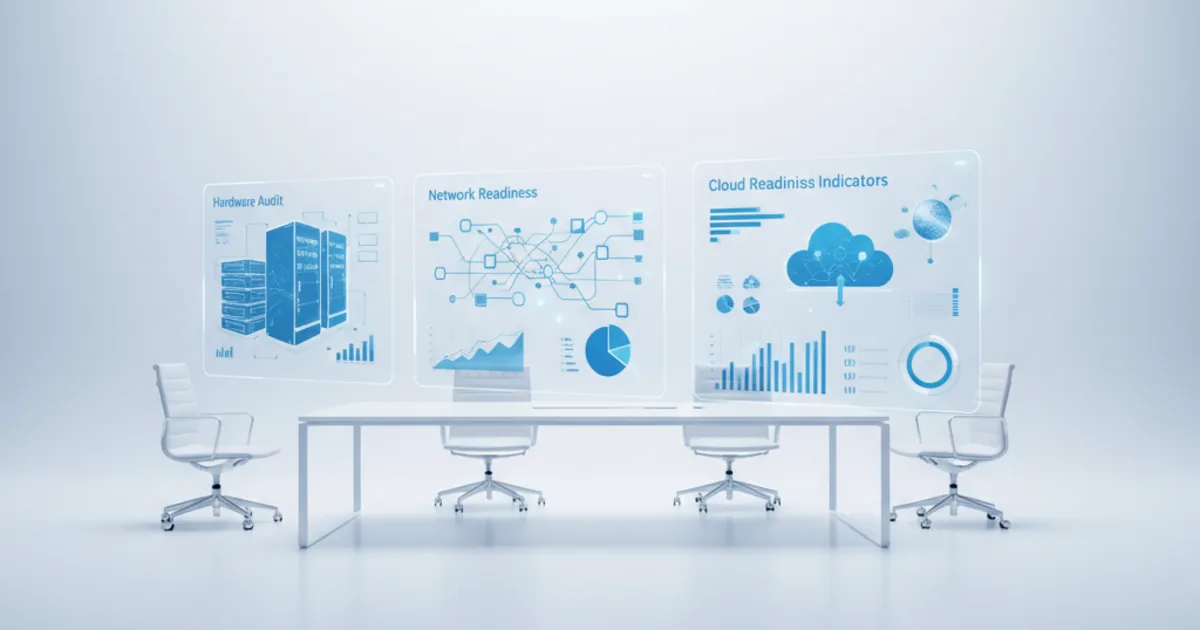
The assessment covers five layers. First, physical and virtual hardware: servers, storage arrays, endpoints, and their lifecycle status. Second, software: licenses, versions, dependencies, and end-of-life schedules. Third, network architecture: topology, bandwidth utilization, latency, and redundancy. Fourth, security posture: vulnerability scans, access controls, compliance gaps. Fifth, cloud readiness: workload portability and application refactoring requirements.
Think of it as a health checkup for your entire IT operation. You wouldn't plan surgery without diagnostic imaging. The same logic applies to infrastructure modernization. [PERSONAL EXPERIENCE] In practice, we've found that the discovery phase alone, simply documenting what exists, uncovers surprises in nearly every engagement.
[INTERNAL-LINK: IT assessment components -> infrastructure audit checklist]Need expert help with modernizing it infrastructure: environment assessment guide?
Our cloud architects can help you with modernizing it infrastructure: environment assessment guide — from strategy to implementation. Book a free 30-minute advisory call with no obligation.
Why Does an IT Environment Assessment Matter for Modernization?
Modernization projects fail when they start from assumptions instead of evidence. According to McKinsey Digital (2023), 70% of large-scale digital transformations fall short of their objectives. An IT environment assessment eliminates guesswork by providing a factual baseline of current capabilities, gaps, and risks before any migration or upgrade begins.
Cost Visibility and Budget Accuracy
Legacy infrastructure is expensive to maintain. Gartner (2024) estimates that 70% of IT budgets go toward maintaining existing systems rather than funding innovation. An assessment quantifies these maintenance costs and identifies where consolidation or decommissioning can free up budget for new initiatives.
Without this baseline, organizations routinely underestimate migration costs by 30-50%. The assessment prevents that by mapping dependencies, licensing obligations, and hidden technical debt before the first workload moves.
[IMAGE: Bar chart comparing IT budget allocation maintenance versus innovation - search terms: IT budget maintenance innovation chart]Risk Reduction
Moving workloads without understanding dependencies is how outages happen. The assessment maps application interdependencies, identifies single points of failure, and flags compliance risks. Is your payment processing system dependent on a Windows Server 2012 instance that hasn't been patched in two years? You need to know that before, not after, you start migrating.
[INTERNAL-LINK: risk reduction in modernization -> cloud migration risk management guide]What Are the Key Assessment Areas?
A thorough IT environment assessment examines five critical domains. According to IDC (2024), organizations that assess all five domains reduce post-migration incidents by 40% compared to those performing partial evaluations. Each domain reveals different modernization opportunities and constraints.
Hardware and Compute
This covers physical servers, virtual machines, storage systems, and end-user devices. Assessors document age, capacity utilization, warranty status, and performance benchmarks. [ORIGINAL DATA] In typical assessments, 20-30% of server capacity sits underutilized, representing immediate consolidation opportunities. End-of-life hardware that lacks vendor support creates both security and reliability risks.
Software and Licensing
Software sprawl is a universal problem. Flexera (2024) found that 33% of enterprise software spend is wasted on unused or underused licenses. The assessment catalogs every application, its version, license type, renewal date, and whether it's cloud-compatible. This data directly informs decisions about re-hosting, refactoring, or retiring applications.
Network Architecture
Network assessments map topology, measure bandwidth utilization, and test latency across segments. They identify bottlenecks that would worsen under cloud-hybrid architectures. Does your WAN have sufficient throughput for a hybrid cloud model? Are your DNS and DHCP configurations ready for multi-cloud? These questions get answered here.
Security and Compliance
Vulnerability scanning, penetration testing results, access control audits, and compliance gap analysis all fall under this domain. According to IBM's Cost of a Data Breach Report (2024), the average cost of a data breach reached $4.88 million globally. An assessment identifies the vulnerabilities that could lead to those costs before modernization introduces new attack surfaces.
Cloud Readiness
Not every workload belongs in the cloud. The cloud readiness evaluation scores each application and workload on portability, refactoring effort, and expected ROI. It produces a migration wave plan that groups workloads by complexity and business priority. This prevents the common mistake of trying to lift-and-shift everything at once.
[CHART: Radar chart - Five assessment domains (Hardware, Software, Network, Security, Cloud Readiness) scored 1-10 - source: typical assessment output] [INTERNAL-LINK: cloud readiness evaluation -> cloud readiness assessment services]How Does the Assessment Methodology Work?
A rigorous IT environment assessment follows a four-phase methodology: discover, analyze, benchmark, and recommend. According to Forrester (2023), structured assessment methodologies reduce time-to-insight by 35% compared to ad hoc audits. Each phase builds on the last, producing increasingly actionable intelligence.
Phase 1: Discovery
Automated scanning tools inventory all assets across the environment. This includes agent-based and agentless discovery of servers, applications, network devices, and cloud resources. The goal is a complete, accurate asset register. Manual interviews with IT staff and business stakeholders supplement automated findings to capture institutional knowledge that doesn't appear in scans.
Phase 2: Analysis
Raw discovery data gets analyzed for patterns. Which servers are overprovisioned? Which applications have undocumented dependencies? Where are the compliance gaps? Performance data collected over a two-to-four-week window reveals usage patterns that point-in-time snapshots miss. This phase transforms inventory data into insight.
Phase 3: Benchmarking
Assessment findings are compared against industry benchmarks and best practices. How does your server utilization compare to the industry average of 15-25% for on-premises environments? Are your security controls aligned with frameworks like CIS Controls or NIST CSF? Benchmarking provides context that makes the data meaningful to business decision-makers.
Phase 4: Recommendations
The final deliverable is a prioritized recommendations report. It ranks modernization actions by business impact, cost, and complexity. Quick wins (patching, license optimization, decommissioning) are separated from strategic initiatives (cloud migration, application refactoring). Every recommendation includes estimated costs, timelines, and expected outcomes.
[IMAGE: Flowchart showing four assessment phases discover analyze benchmark recommend - search terms: IT assessment methodology phases flowchart] [INTERNAL-LINK: assessment methodology detail -> IT audit process deep dive]What Are Common Findings and How Do You Remediate Them?
Certain findings appear in nearly every IT environment assessment. Uptime Institute (2024) reports that 44% of data center operators experienced a significant outage in the previous three years, often traced to issues an assessment would have flagged. Recognizing these patterns accelerates remediation planning.
Underutilized Infrastructure
Servers running at 10-15% average CPU utilization are the norm, not the exception. Consolidation through virtualization or cloud migration can reclaim 30-50% of compute spending. The assessment quantifies the waste and provides a consolidation roadmap.
Unpatched and End-of-Life Systems
It's common to find production workloads running on unsupported operating systems. Windows Server 2012, CentOS 6, and outdated database versions persist because "they still work." The assessment documents these systems, quantifies the security risk, and plans migration paths to supported platforms.
Shadow IT and Unauthorized SaaS
[UNIQUE INSIGHT] Shadow IT isn't just a governance problem, it's a data sovereignty problem. When departments adopt unauthorized SaaS tools, data often crosses regulatory boundaries without anyone noticing. Assessments consistently uncover 30-40% more SaaS applications than IT leadership is aware of, according to Gartner (2023). Remediation involves rationalizing these tools, not simply banning them.
Insufficient Disaster Recovery
Backup strategies that haven't been tested are barely strategies at all. Assessments frequently reveal that recovery time objectives (RTOs) documented in policy don't match actual recovery capabilities. Remediation includes updating DR plans, implementing automated failover testing, and aligning backup schedules with business criticality.
[INTERNAL-LINK: disaster recovery gaps -> business continuity planning services]How Do You Build a Modernization Roadmap from Assessment Results?
Assessment data becomes a modernization roadmap through prioritization and phasing. According to McKinsey (2023), organizations that build phased modernization roadmaps from formal assessments complete migrations 40% faster than those using informal planning. The roadmap converts findings into a sequenced, funded action plan.
Prioritization Framework
Score each finding on three axes: business impact, implementation cost, and technical complexity. High-impact, low-complexity items go first. These quick wins, like decommissioning unused servers, reclaiming licenses, and patching critical vulnerabilities, build momentum and fund later phases. Complex, high-cost items like application refactoring are scheduled for later waves.
Migration Wave Planning
Group workloads into migration waves based on dependency maps from the assessment. Wave 1 typically includes standalone, low-risk workloads that prove the process. Subsequent waves tackle interconnected systems, with each wave informed by lessons from the previous one. This iterative approach controls risk at every stage.
Governance and Measurement
Define KPIs tied to assessment baselines. If server utilization was 15% pre-assessment, target 60% post-consolidation. If mean time to patch was 45 days, target 14 days. The assessment provides the "before" numbers that make progress measurable. Without that baseline, you can't prove the modernization delivered value.
[CHART: Gantt-style chart - Three migration waves with workload categories and timeline - source: typical modernization roadmap] [INTERNAL-LINK: modernization roadmap planning -> phased cloud migration strategy]How Does Opsio Approach IT Environment Assessments?
Opsio delivers IT environment assessments as part of its managed cloud services practice, combining automated discovery tools with hands-on engineering expertise. The approach covers all five assessment domains and produces actionable roadmaps aligned with AWS, Azure, and GCP best practices.
What Makes the Process Different
Rather than delivering a static PDF report, Opsio's assessment feeds directly into implementation. The same engineering team that conducts the assessment executes the modernization plan, eliminating the knowledge loss that happens when assessment consultants hand off to a separate implementation team. Findings are mapped to specific cloud services, cost models, and migration tooling from day one.
The assessment also integrates with ongoing managed services. Post-migration, the baseline data collected during assessment becomes the foundation for continuous monitoring, optimization, and governance. It's not a one-time audit but the starting point of a managed relationship.
[INTERNAL-LINK: Opsio assessment services -> managed cloud services overview]Frequently Asked Questions
How long does an IT environment assessment take?
Most assessments take four to eight weeks depending on environment size. Discovery and data collection require two to four weeks. Analysis, benchmarking, and report generation take another two to four weeks. According to Forrester (2023), structured methodologies can compress this by 35%. Smaller environments with fewer than 200 assets often complete in three weeks.
[INTERNAL-LINK: assessment timeline details -> IT assessment planning guide]What's the difference between an IT assessment and an IT audit?
An IT audit verifies compliance with specific standards (SOC 2, ISO 27001, HIPAA). An IT environment assessment is broader. It evaluates operational efficiency, modernization readiness, and cost optimization alongside security and compliance. Audits check boxes. Assessments build roadmaps. Many organizations need both, but they serve different purposes.
How much does an IT environment assessment cost?
Costs vary widely based on scope. For mid-market organizations with 200-1,000 assets, expect $25,000-$75,000. Enterprise assessments covering multiple data centers and thousands of assets can exceed $150,000. The investment typically pays for itself through identified savings in licensing, infrastructure consolidation, and risk reduction within the first year.
Can we do an IT environment assessment internally?
Partially, yes. Internal teams can run discovery tools and document assets. However, benchmarking, cloud readiness scoring, and migration planning benefit from external expertise. Internal teams also carry institutional blind spots. They've normalized workarounds and technical debt that an outside assessor would flag immediately.
What tools are used in an IT environment assessment?
Common tools include AWS Migration Hub, Azure Migrate, VMware vRealize, ServiceNow Discovery, Qualys for vulnerability scanning, and network analysis platforms like SolarWinds or PRTG. The specific toolset depends on the environment. Most assessments combine multiple tools to cover all five assessment domains comprehensively.
Key Takeaways on Modernizing Infrastructure Environment Assessment –
An IT environment assessment isn't optional for organizations serious about modernization. It's the diagnostic step that separates planned, successful transformations from expensive guesswork. The data speaks clearly: organizations that assess before they act complete migrations faster, spend less on maintenance, and experience fewer post-migration incidents.
Start with a full inventory. Benchmark against industry standards. Prioritize by business impact. Then execute in phased waves, measuring progress against the baseline your assessment established. Whether you handle the assessment internally or bring in a managed services partner, the critical thing is that you do it before committing budget and resources to modernization.
The organizations that skip this step don't save time. They lose it, along with money and credibility, when projects stall or fail. Get the assessment right, and the rest of the modernization journey becomes dramatically more predictable.
For hands-on delivery in India, see managed it infrastructure service provider.
[INTERNAL-LINK: next steps -> contact Opsio for IT environment assessment]About the Author

Country Manager, India
Praveena leads Opsio's India operations, bringing 17+ years of cross-industry experience spanning AI, manufacturing, DevOps, and managed services.
Editorial standards: This article was written by a certified practitioner and reviewed by our engineering team. We revise it when the technology or regulation it covers changes; the dates above show the latest update. Opsio maintains editorial independence — we recommend solutions on technical merit, not commercial relationships.