
DevOps automation and automated CI/CD pipelines: how to build one

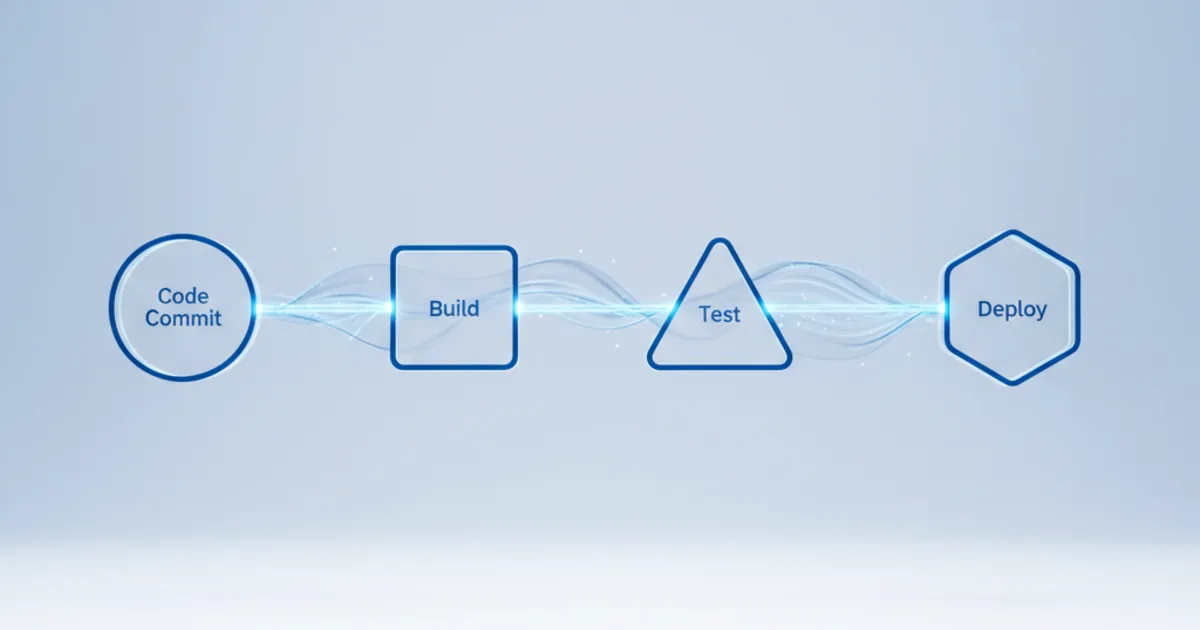
An automated DevOps pipeline takes every code change through build, test, security checks and deployment without manual steps. A commit triggers the pipeline, the same tested package is promoted from test to production, and infrastructure is created from code. The result is smaller, more frequent releases that are easier to verify and roll back.
Key takeaways
- CI merges and tests every change. Continuous delivery keeps the code always releasable. Continuous deployment releases every passing change automatically.
- A typical pipeline has five stages: source, build, test, deploy and verify. Each stage should fail fast and tell the developer why.
- Use the same package and the same deployment process for every environment, including production.
- Measure results with DORA's metrics. In 2024 the elite cluster deployed on demand, with lead time under a day, about 5% change fail rate and recovery in under an hour.
- Pipelines are part of your attack surface. Secrets, permissions and build integrity need the same care as production.
What is DevOps automation?
DevOps automation is the use of scripts and tools to run repeatable software delivery tasks without manual work. It covers building, testing, provisioning infrastructure, deploying, configuring and monitoring.
The aim is not to remove people from the process. It is to remove waiting and inconsistency. When a release depends on someone running commands from a wiki page, it will be slow and it will sometimes go wrong. When the same steps run from code every time, each release is boring, and boring is what you want.
Typical benefits are:
- Shorter lead time from commit to production
- Fewer failed changes, because every change passes the same checks
- Faster recovery, because rollback is also automated
- An audit trail for every change, which helps with ISO 27001, NIS2 and customer audits
- Less time spent on routine work, so engineers can work on the product
CI, continuous delivery and continuous deployment
The three terms describe how far automation goes. Most teams move from the first to the second, and some go on to the third.
| Practice | What is automated | Release decision |
|---|---|---|
| Continuous integration (CI) | Merge to the main branch, build and automated tests on every change | Not part of CI |
| Continuous delivery | Everything in CI plus packaging and deployment to test and staging, so the code is always releasable | A person approves the production release |
| Continuous deployment | Everything up to and including production deployment | Automatic for every change that passes |
DORA's guidance on continuous integration notes that teams perform better when developers merge their work into trunk at least daily, with automated tests before and after the merge. If tests fail, the team stops and fixes the build first. Martin Fowler's long-standing article on continuous integration remains a good reference for the practice.
How does an automated CI/CD pipeline work?
A commit to version control starts the pipeline. Each stage must pass before the next one runs, and the pipeline stops at the first failure.
- Source. A push or pull request to Git triggers the run. Linting and basic checks catch simple errors in seconds.
- Build. The code is compiled, dependencies are resolved and a versioned artifact is created, such as a container image or a package. That artifact is stored in a registry and never rebuilt for later environments.
- Test. Unit tests run first because they are fast. Integration tests, contract tests and end-to-end tests follow. Security scans for dependencies, code and container images run here too.
- Deploy. The same artifact is deployed to test, staging and then production, using blue-green, canary or rolling releases.
- Verify. Smoke tests, health checks and monitoring confirm the release works. If key metrics degrade, the pipeline rolls back.
DORA's deployment automation guidance adds three rules worth copying. Use the same deployment process for every environment. Use the same packages for every environment. And let anyone with the right credentials deploy any version to any environment on demand. If someone must raise a ticket and wait for an environment, the deployment is not fully automated.
Tools for automated CI/CD pipelines
Pick tools that fit where your code and cloud already live. A team on GitHub with workloads on AWS has different defaults from a team on Azure DevOps with workloads on Azure.
CI/CD platforms
| Tool | Good fit for | Notes |
|---|---|---|
| GitHub Actions | Teams whose code is on GitHub | YAML workflows, large marketplace of actions, matrix builds |
| GitLab CI/CD | Teams that want source control, CI/CD and registry in one product | Pipeline config in the repository, built-in container registry |
| Jenkins | Custom or on-premises pipelines | Open source, very extensible through plugins, more maintenance |
| Azure Pipelines | Microsoft-centred teams | Part of Azure DevOps, strong Windows and .NET support |
| AWS CodePipeline and CodeBuild | AWS-centred teams | Managed services with native IAM and AWS integration |
Infrastructure as code
Infrastructure as code is what makes environments repeatable. Common choices are Terraform or OpenTofu for multi-cloud work, AWS CloudFormation or the AWS CDK for AWS, Bicep for Azure and Pulumi for teams that prefer general-purpose languages. Ansible handles configuration management for servers that still need it.
Containers and GitOps
Docker images give each service a consistent runtime. Kubernetes runs them at scale, and GitOps tools such as Argo CD or Flux keep the cluster in line with what is approved in Git. For when Kubernetes makes sense, see our guide to Kubernetes consulting and container orchestration.
How to build your first automated pipeline
Start small, with one service that matters but is not your most fragile system. Prove the pattern, then copy it.
- Baseline. Record today's lead time, deployment frequency, change fail rate and recovery time for that service.
- Branching. Move towards trunk-based development with short-lived branches.
- Automated build. Build on every commit and publish a versioned artifact.
- Tests that run in minutes. Start with unit tests and a small set of smoke tests. Add more as you learn where defects appear.
- Automated deployment to a test environment. Then staging, then production with an approval gate.
- Infrastructure as code. Bring the environment under code so it can be recreated.
- Feedback. Send build results to chat, and add dashboards for pipeline duration and failure rate.
Once the pattern works, turn it into a shared template so other teams do not start from scratch. That is the core idea behind platform engineering.
What Are the Best Practices for automated CI/CD?
Pipeline design
- Pipeline as code. Keep pipeline definitions in the same repository as the application, under review like any other code.
- Build once, deploy many. Promote the same artifact through every environment.
- Fast feedback. Run the quickest checks first and parallelise the slow ones.
- Idempotent steps. A step that runs twice should give the same result.
- Versioned artifacts. Every build is tagged and traceable to a commit.
Testing
- Shift testing left, so most defects are caught before merge.
- Keep test data consistent and disposable across environments.
- Use quality gates for coverage and static analysis, but set thresholds the team agrees with.
- Fix or remove flaky tests quickly. A test that fails at random teaches people to ignore red builds.
Pipeline security
The pipeline holds credentials for production, so treat it as a production system. NIST's Secure Software Development Framework (SP 800-218) is a practical baseline for secure development practices.
- Store secrets in a vault or the cloud provider's secrets service, never in the repository.
- Use short-lived credentials, for example OIDC federation from the CI system to AWS or Azure, instead of long-lived keys.
- Apply least privilege to pipeline roles, and separate deploy rights per environment.
- Scan dependencies, code and images, and sign the artifacts you release.
- Collect audit evidence automatically, so compliance checks do not slow down releases.
Deployment strategies
| Strategy | How it works | Trade-off |
|---|---|---|
| Rolling update | Replace instances of the old version a few at a time | Simple, but old and new versions run side by side for a while |
| Blue-green | Deploy to an idle copy of production, then switch traffic | Fast rollback, but needs double capacity during the switch |
| Canary | Send a small share of traffic to the new version and watch metrics | Limits impact, but needs good monitoring to judge the result |
| Feature flags | Deploy code switched off, then enable it for chosen users | Separates deploy from release, but flags need cleaning up |
How to measure pipeline success
Measure outcomes, not activity. DORA's software delivery metrics are the common standard. The table shows the elite cluster from the 2024 Accelerate State of DevOps report.
| Metric | What it measures | Elite cluster, DORA 2024 |
|---|---|---|
| Deployment frequency | How often you deploy to production | On demand (multiple deploys per day) |
| Change lead time | Time from commit to running in production | Less than one day |
| Change fail rate | Share of deployments that need immediate intervention | About 5% |
| Failed deployment recovery time | Time to recover from a failed deployment | Less than one hour |
DORA now adds a fifth metric, deployment rework rate: the share of deployments that are unplanned and caused by a production incident. DORA also warns against using the levels as targets. Compare one service with itself over time.
Alongside DORA metrics, track pipeline health: total duration, time per stage, success rate and how many defects still reach production.
Common challenges and how to handle them
| Challenge | What helps |
|---|---|
| Teams resist new ways of working | Start with one willing team, show the metrics, and let them present the results |
| Legacy systems that are hard to test | Wrap them with contract and smoke tests first, automate deployment, then refactor |
| Missing skills | Pair engineers with experienced practitioners and build shared templates |
| Compliance concerns about automatic releases | Automate approvals, evidence and separation of duties inside the pipeline |
| Slow pipelines | Cache dependencies, parallelise tests and split large test suites |
Where DevOps automation is heading
Platform engineering. Internal platforms offer "golden paths": self-service, automated workflows for creating services and environments. DORA's 2024 report found platform engineering has a positive impact on productivity and organisational performance, with some cautionary signals for delivery performance.
AI in the pipeline. AI assistants write more code, which puts more load on tests and reviews. The same DORA report found that a 25% increase in AI adoption was associated with an estimated 1.5% drop in delivery throughput and 7.2% drop in delivery stability. Strong automated testing and small batches matter more, not less.
GitOps and policy as code. More teams declare infrastructure and policy in Git and let controllers apply them, which makes every change reviewable.
How Opsio helps
Opsio designs and runs CI/CD pipelines and infrastructure as code on AWS and Azure, and our DevOps consulting team can assess your current delivery process first.
For SaaS recruitment platform WorkBuster, Opsio deployed the AWS environment with CloudFormation templates, so the infrastructure design is versioned and managed like application code. The migration needed a near-zero-downtime approach, and the platform runs on EC2 with auto scaling and Multi-AZ MySQL RDS, monitored with CloudWatch dashboards and alarms.
Frequently asked questions
What is an automated DevOps pipeline?
It is a sequence of automated stages that takes a code change from commit to production: source checks, build, tests, security scans, deployment and verification. Each stage runs without manual steps, and the pipeline stops at the first failure.
What is the difference between CI and CD?
Continuous integration merges and tests every change on the main branch. Continuous delivery adds automated packaging and deployment so the code is always ready to release, with a person approving production. Continuous deployment removes that approval and releases every passing change.
What are the benefits of an automated deployment pipeline?
Shorter lead time, fewer failed changes, faster rollback and a full audit trail of what was deployed, when and by whom. It also frees engineers from repetitive release work.
Which tools are used for CI/CD automation?
Common CI/CD platforms are GitHub Actions, GitLab CI/CD, Jenkins, Azure Pipelines and AWS CodePipeline. They are combined with infrastructure as code tools such as Terraform or CloudFormation, container tools such as Docker and Kubernetes, and GitOps tools such as Argo CD.
How do you measure CI/CD pipeline performance?
Use DORA's metrics: deployment frequency, change lead time, change fail rate, failed deployment recovery time and deployment rework rate. Add pipeline duration and success rate to see where the pipeline itself slows teams down.
Related reading
Related Articles
About the Author

Editorial standards: This article was written by a certified practitioner, named in the byline above. We revise it when the technology or regulation it covers changes; the dates above show the latest update. Opsio maintains editorial independence — we recommend solutions on technical merit, not commercial relationships.


