
Cloud-Based Access Control System: Q&A Guide

Group COO & CISO
Operational excellence, governance, and information security. Aligns technology, risk, and business outcomes in complex IT environments
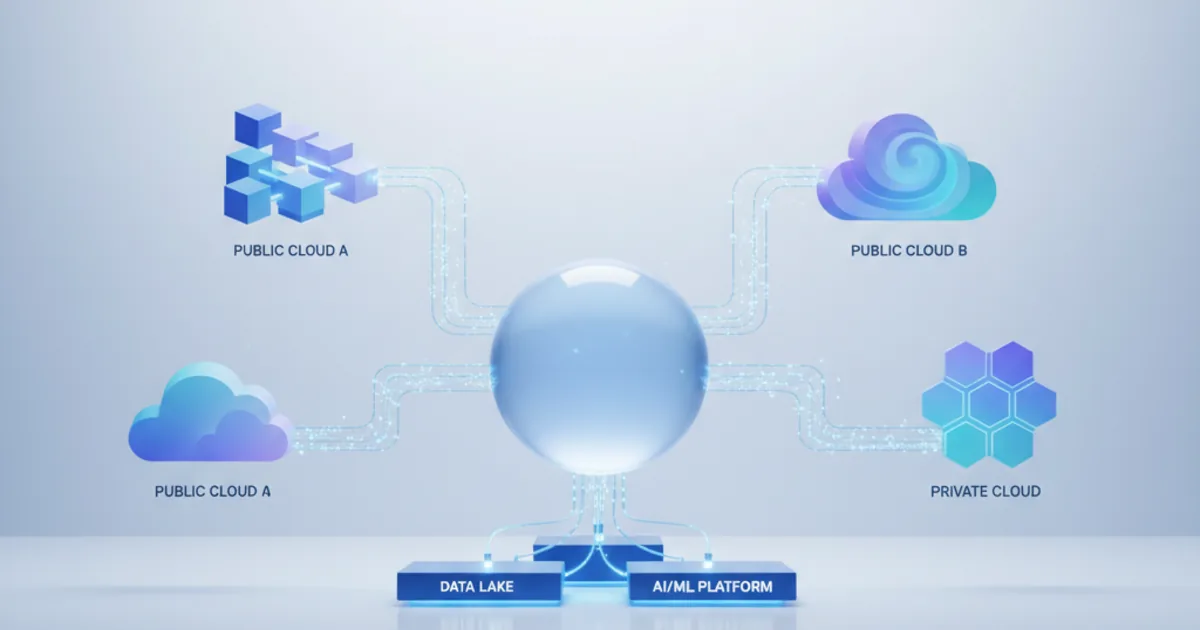
Are you still using old, server-based security systems? These systems make it hard to quickly respond to threats and changes. We've made this guide to help you switch to a cloud security platform that's modern and fits today's fast-paced business world.
Old systems need a lot of money, IT help, and upkeep. But, cloud-based security solutions let you control access from anywhere. This gives you more flexibility for your business.
This Q&A guide answers key questions about remote access management. We'll cover how it works, its benefits, and how to pick the right one for you. This will help you make smart choices that keep your business safe and running smoothly.
Key Takeaways
- Cloud security platforms cut costs and improve monitoring across many places
- Remote access management lets teams change permissions fast from anywhere, cutting down on response times
- Having one place to manage everything makes IT and facilities teams' jobs easier
- Cloud solutions grow with your business, adding or removing access points easily
- They work well with your current systems, making everything more efficient and visible
- New security tech offers better encryption and ways to prove who you are
- Choosing the right cloud solution means looking at vendors, rules, and costs over time
What is a Cloud-Based Access Control System?
A cloud-based access control system combines physical security with cloud computing. It offers flexibility in managing who enters your facilities and when. This system doesn't need bulky servers or dedicated IT. Instead, it uses the internet for real-time control and monitoring from anywhere.
Businesses in the United States are looking for security solutions that meet their changing needs. Cloud-based platforms provide a streamlined option compared to traditional systems. They allow managing access points across different locations through one interface.
Understanding the Core Concept
A cloud-based access control system is a modern security infrastructure that uses the internet. It manages, monitors, and controls physical access to buildings and secured areas. Unlike traditional systems, it stores data in secure data centers, not on-site servers.
The main difference is where the system's intelligence is. Traditional systems need expensive hardware and ongoing maintenance. Cloud-based solutions move this burden to professional data centers. This lets your team focus on security strategy, not technical issues.
Managing security remotely is easy with this approach. Authorized personnel can manage the entire system through web-based interfaces. They can grant or revoke access quickly, which is great for organizations with hybrid workforces or rapid growth.
Essential System Capabilities
Cloud-based access control has key features that set it apart from traditional systems. These features deliver significant value to our clients, changing how organizations approach physical security.
Centralized security management is at the heart of these systems. A single dashboard gives real-time visibility across all locations. This eliminates the need to manage multiple platforms or travel between sites for changes.
- Automatic software updates: The system gets updates and security patches automatically. This keeps your security current without downtime or needing dedicated IT.
- Scalable architecture: Adding new doors, buildings, or campuses is easy. The cloud infrastructure grows with your needs without expensive hardware upgrades.
- Integration capabilities: Modern cloud platforms connect with various systems. This creates a comprehensive security ecosystem that shares data and coordinates responses.
- Mobile credential support: Employees can use their smartphones as secure access devices. This reduces costs and improves convenience.
- Comprehensive audit trails: Every access event is documented automatically. This provides detailed records for compliance and security investigations.
These features create a security system that adapts to your needs. We've seen many businesses benefit from this flexibility, making quick security adjustments when needed.
Advantages of Cloud-Based Solutions
Cloud solutions improve every aspect of security operations. They offer tangible benefits that impact your bottom line. Organizations adopting cloud-based access control save money by avoiding expensive servers and dedicated IT.
Cost savings are just the start. Managing multiple locations becomes easier, as security administrators can oversee access points from one place. This approach reduces response times and ensures consistent policy enforcement.
Cloud solutions also offer better disaster recovery capabilities. Since your system doesn't rely on one location, disasters won't affect your ability to manage access. The cloud keeps redundant data copies in different data centers.
Quickly deploying new access points changes how you adapt to changing needs. Adding security to new locations no longer takes weeks. We've helped clients set up new facilities in days, providing immediate security without complex changes.
Remote security management is invaluable for distributed teams or flexible work arrangements. Security personnel can handle access requests and adjust permissions from anywhere. This flexibility ensures your team remains effective, even when working remotely. It also lets you recruit specialized security talent without location constraints.
Need expert help with cloud-based access control system: q&a guide?
Our cloud architects can help you with cloud-based access control system: q&a guide — from strategy to implementation. Book a free 30-minute advisory call with no obligation.
How Does a Cloud-Based System Work?
Cloud-based access control systems use a network of connected parts. They don't need local servers or onsite computers. This setup lets organizations manage access across many places from one spot.
These systems have three main parts. Authentication checks who you are with biometrics, key cards, or mobile apps. Access control decides who can go where and when. Management lets you watch everything in real-time with live dashboards.
Architecture of Cloud-Based Access Control
The system has layers that work together for security. At the bottom, edge devices like door readers and locks check who you are. They talk to secure gateways that keep things running even when the internet is down.
Cloud databases store your info and rules in safe places. At the top, admins can set up permissions and watch what's happening from anywhere. This setup keeps your system working no matter where you are.
| Component | Primary Function | Key Benefit | Connectivity Requirement |
|---|---|---|---|
| Edge Devices | Read credentials and control physical locks | Immediate access response at entry points | Local network to gateway |
| Gateway Appliances | Bridge edge devices to cloud platform | Maintains offline capability during outages | Internet connection to cloud |
| Cloud Database | Stores credentials and access policies | Centralized management across all locations | Always-on cloud infrastructure |
| Admin Interface | Configuration and monitoring portal | Remote management from any device | Web browser with internet access |
| Mobile Application | Credential delivery and user access | Eliminates physical key cards | Smartphone with Bluetooth or NFC |
Role of Internet Connectivity
The internet is key for cloud systems to work. It lets them check who you are right away. This stops unauthorized access and keeps your system safe.
Internet access also lets you get alerts fast. You'll know right away if there's a security issue. This makes your system more secure and efficient.
Mobile access is another big plus. It lets you use your phone to get in, making things easier and safer. You don't have to worry about lost keys anymore.
Even when the internet is down, the system keeps working. It updates itself when it can, keeping your security strong all the time.
Data Storage and Security
Data safety is a top priority in cloud systems. They use strong encryption to keep your info safe. This means your credentials are protected as they move and when they're stored.
They also have backup systems in different places. This means your data is safe even if something bad happens. The system can switch to a backup quickly, so you don't lose security.
Cloud providers follow strict rules to keep your data safe. They pass regular checks to make sure they're doing a good job. This gives you peace of mind.
They also watch for threats all the time. They use smart tools to find and stop problems before they start. This keeps your system safe without you having to do anything.
What Are the Advantages of Cloud-Based Access Control Systems?
Cloud-based access control systems offer big benefits for your business. They save money, improve how you work, and help you grow. Unlike old systems, they don't need a lot of money upfront or ongoing care.
Switching to cloud tech is a big choice for your company. It's not just about saving money right away. It's about getting long-term strategic advantages that help your business grow and stay flexible.
Lower Total Investment and Predictable Expenses
Cost-effective solutions are a big reason to choose cloud-based systems. Old systems cost a lot to start and keep running. Cloud systems are cheaper because you pay a monthly fee instead of a big upfront cost.
With cloud systems, you don't have to spend a lot on servers and other equipment. The cloud provider takes care of that. This means you can save money and have a more predictable budget. You can use that money for other important business things.
Cloud systems also save you money over time. They don't need expensive upgrades like old systems do. You always get the latest security features without having to pay extra.
Growing Without Infrastructure Constraints
Scalable security infrastructure means your business can grow without being held back. Cloud systems start small and grow with you. You can add new doors or buildings easily without big changes.
This flexibility helps with many business situations. It's great for seasonal changes, rapid growth, temporary projects, or mergers. Your system can grow or shrink as needed, without wasting resources.
Being able to adjust your subscription as needed is another big plus. If your security needs change, you can change your plan. This is something old systems can't do.
Controlling Security From Anywhere
Remote security management is key in today's world. Cloud systems let you manage security from anywhere. This makes it easier for your team to handle security, no matter where they are.
Your team can give access to people without being there. They can deal with security issues right away, even when they're not at the office. This is really helpful for businesses that work in many places or have people working from home.
Cloud systems have one interface for all your locations. This makes it easier for your team to manage everything from one place. They can keep an eye on everything and get alerts in real-time, no matter where they are.
Cloud systems also save your team a lot of work. The provider takes care of updates and maintenance. This lets your team focus on important security tasks, not just keeping the system running.
| Advantage Category | Traditional Systems | Cloud-Based Systems | Business Impact |
|---|---|---|---|
| Initial Investment | $50,000-$150,000 for hardware and installation | $100-$500 monthly subscription | Improved cash flow and reduced capital requirements |
| Scalability | Requires infrastructure redesign for expansion | Add unlimited doors without hardware changes | Seamless growth without service disruption |
| Management Location | On-site access only | Anywhere with internet connectivity | Enhanced response times and operational continuity |
| Maintenance Responsibility | Internal IT staff required | Provider-managed infrastructure | Reduced operational burden on internal teams |
| Update Frequency | Manual upgrades every 3-5 years | Automatic updates included in subscription | Always-current security features without additional cost |
Security Risks and Considerations
Keeping your access control system safe from cybersecurity vulnerabilities is crucial. You need to watch out for security risks and work with providers who protect your data well. Cloud-based systems offer many benefits but also bring security concerns. It's important to protect your physical security from cyber threats and unauthorized access.
Cloud systems can lower risk by letting experts handle security. Cloud security platform providers have dedicated teams and resources. NIST SP 800-210 says access control is key to protecting data in the cloud. It ensures data stays encrypted, keeping it safe from unauthorized access.
Understanding Common Security Weaknesses
There are several cybersecurity vulnerabilities that can harm cloud-based access control systems. If you don't have strong security, attackers can get into your system. Knowing these weaknesses is the first step to a strong security plan.
Common weaknesses include:
- Inadequate authentication mechanisms that let unauthorized users in with weak passwords or no verification
- Misconfigured access policies that give too much access to users who don't need it
- Insecure API connections between cloud services and devices that attackers can use to steal credentials
- Insufficient encryption of data in transit or at rest that makes it easy for attackers to intercept
- Social engineering attacks that trick admins into giving up their credentials
Each weakness needs attention during system selection and ongoing use. You can't ignore any weakness, as attackers often find the easiest way in.
Implementing Comprehensive Protection Measures
To protect against threats, you need multiple layers of defense. We suggest focusing on user authentication, data transmission, and storage. These measures work together to reduce your risk.
Multi-factor authentication for all accounts stops attacks by requiring more than just a password. This makes it harder for attackers to get in, even if they have a password. We recommend MFA for all users, not just admins.
Using role-based access controls limits users to what they need. This reduces damage from compromised accounts. We help design access hierarchies that are secure but still work well.
Regular security audits and penetration testing find and fix vulnerabilities before they're exploited. These tests help identify weaknesses and suggest improvements. We work with organizations to keep their security up to date.
Keeping detailed audit logs helps spot and investigate suspicious activities. These logs hold your team accountable and provide evidence in case of security incidents. Real-time authentication protocols and logging give you full visibility into system activities.
Choosing a cloud security platform provider who cares about security is key. Look for providers with good security credentials, like SOC 2 compliance and ISO 27001 certification. We help organizations check vendor security credentials.
The Critical Role of Data Protection
Encryption is essential for protecting your access control data. Data encryption standards should be used everywhere data exists or travels. Encryption makes data unreadable, keeping it safe even if attackers get access.
Real-time authentication protocols must send credential information securely. This prevents interception during verification. We use end-to-end encryption to keep data secure throughout the authentication process.
Using strong encryption algorithms like AES-256 protects your data against breaches. This level of protection is hard to crack, giving you confidence in your data's safety. We recommend using modern encryption standards.
Having control over encryption keys keeps your data secure. This means even your cloud provider can't access your data without your permission. We design systems that balance security with ease of use.
Choosing a reputable cloud security platform provider is crucial. They should prioritize security, be transparent about vulnerabilities, and protect your data. We help organizations evaluate vendors based on their security track record and commitment to data protection.
How Do You Choose the Right Cloud-Based System?
When your security team moves to cloud-based access management, picking the right system is key. It can either save you money or cause problems later. We help you make smart choices that meet your needs now and in the future.
Looking at different providers and their pros and cons is important. You need to use vendor evaluation criteria that go beyond just features. The right choice affects your security, how well you work, and your costs for years to come.
Critical Selection Factors
Choosing the right system starts with knowing what matters most for your situation. Look at system integration capabilities first. See how well it works with your current security systems and other technologies.
Scalability is also crucial. Your system should grow with your business without needing expensive changes. Think about how it handles more users and locations as your needs change.
The system's user interface is important for your team's efficiency. A hard-to-use interface slows you down and increases errors. Make sure the interface is easy to use during demos.
Your system should support many types of enterprise access credentials. It should have mobile, biometric, and traditional cards for different needs. This flexibility helps everyone fit into the system.
Good reporting and analytics give you insights to make better decisions. Look for dashboards that show trends and security events. Custom reports help you get the most from your system's data.
Being able to choose how you deploy the system is key. You might want a cloud-only, hybrid, or edge-based setup. The biggest cost is installing hardware, so choose systems that work with open hardware.
Vendor Reputation Assessment
Checking a vendor's reputation is important. Look at their history, customer base, and how long they've been in the business. Long-standing vendors are usually more reliable.
Customer feedback and case studies are valuable. Ask for references and do your own research. Talking to current customers can give you real insights into how the system works.
Make sure the vendor is financially stable. Look at their funding, revenue growth, and market position. A financially struggling vendor might not support you well in the future.
Security certifications show the vendor cares about your data. Look for SOC 2 Type II audits, ISO 27001, and compliance with industry standards. This ensures your data is safe.
Good customer support is essential. Look at how quickly they respond, the expertise of their staff, and the support channels they offer. This helps you solve problems fast.
Customization and Flexibility
Customization options are key. They let you tailor the system to your needs, not the other way around. You should be able to set up access policies easily without needing to program.
Custom reporting is important for making decisions. Look for systems that let you create reports tailored to your needs. This way, you get the insights you need without manual effort.
APIs let you integrate the system with other apps. This makes the system more useful for your business. It can connect with HR, workplace management, and business intelligence tools.
White-labeling is important if you offer security services. It lets you brand the system with your own look and feel. This helps you stand out in the market.
Being able to get custom features shows the vendor is a partner, not just a seller. While it might cost more, it means your system can grow with you. Discuss this during the evaluation to see if it's possible for your needs.
How Do You Implement a Cloud-Based Access Control System?
Switching to a cloud-based access control system is a big step for any organization. It's important to follow a careful plan to get the most out of it and avoid risks. First, you need to pick a provider and then create a detailed plan for moving to the new system.
This plan should cover technical needs, how ready your organization is, and how to manage changes. The planning stage is key to a smooth transition. It helps keep your daily operations running smoothly while you get the latest security features from the cloud.
Creating a good migration plan means checking your current systems, setting up a timeline, and budgeting for new equipment. It also includes training your staff to use the new system well. This plan looks at both the technical and people sides of changing your systems.
Structured Deployment Process
The first step is to assess your site. This involves checking all access points, seeing what old systems you can reuse, and figuring out network needs. It also helps set up security rules and access policies for your system.
After the assessment, we make a detailed plan with milestones, who will do what, and plans for any problems. This plan is your guide, making sure everyone knows what to do and when.
Next, we buy and set up the necessary hardware like door readers and locks. We also set up the cloud platform with your organization's structure and access rules. This lets you test the system before installing it anywhere.
We install the system in phases, testing each part before adding more. This approach reduces risks and lets you learn from early experiences. It also keeps things running smoothly while you make the change.
We move your enterprise access credentials and user data to the new system. This makes sure your staff can keep accessing places without trouble.
We test everything, including emergency procedures and backup systems. This makes sure your building is safe even if there's a power outage or network problem. We also set up ways to keep the system running well and fix any issues fast.
| Implementation Phase | Key Activities | Timeline | Success Metrics |
|---|---|---|---|
| Assessment & Planning | Site survey, infrastructure evaluation, security policy development, project planning | 2-4 weeks | Complete documentation, approved project plan, stakeholder alignment |
| Platform Configuration | Cloud setup, organizational hierarchy creation, access policy configuration, testing | 1-2 weeks | Functional platform, validated access rules, admin access established |
| Hardware Deployment | Equipment procurement, physical installation, network connectivity, credential migration | 4-8 weeks | Operational access points, migrated user data, system connectivity |
| Testing & Validation | Functionality testing, emergency procedure validation, performance monitoring | 1-2 weeks | Zero critical defects, documented test results, approved go-live |
Connecting with Current Infrastructure
Connecting your new system with existing ones is key. It makes your technology work better together. This includes linking with video and building management systems.
This integration helps control things like HVAC and lighting. It saves energy and makes your building more comfortable. It shows how security systems can help in many ways.
It also connects with HR systems to manage access for employees. This makes things easier for your staff and keeps your systems secure. It also makes a good impression on visitors.
Planning these connections is important. You need to think about who to talk to and what to do first. We suggest focusing on the most important connections first.
Preparing Your Team for Success
Training your staff is crucial. They need to know how to use the new system to keep things secure. It's important to teach them well so they can use the system right.
Admins need to know how to set up and manage the system. We provide hands-on training and resources for them. This helps them do their job well.
Teaching users about contactless entry solutions is also important. They need to know how to use new ways of getting into places. We make sure they understand it easily.
Security training is also key. It teaches staff to keep things safe. This includes not sharing passwords and reporting any problems.
We also offer ongoing training. This keeps your team up to date with new features and security tips. We suggest regular sessions and have people who can help with questions.
Training is essential for your team to effectively manage, operate, and maintain data privacy and security.
By investing in good training, you make sure your team can use the new system well. This keeps your place safe and secure.
Comparisons to Traditional Access Control Systems
Choosing between cloud-based and traditional access control systems is a big decision. It affects your budget and how well your security team works. Knowing the differences helps you pick the best solution for now and the future.
Traditional systems and Cloud-Based Access Control System platforms are very different. They affect how your organization works and grows. Looking at cost, maintenance, and how easy they are to use helps you decide what's best for you.
Cost Analysis
The cost of access control systems is more than just the initial price. You need to think about the total cost of ownership over time. Traditional systems cost a lot upfront, with up to 90% of new security system costs attributed to hardware and installation expenses.
Cloud-based systems change the financial model. They offer predictable monthly fees that include software, updates, and support. This helps with budgeting and avoids the risk of old technology.
Looking at costs over ten years shows big differences. Traditional systems need money for new hardware every five to seven years. Cloud systems don't need server replacements and update automatically without extra cost.
| Cost Category | Traditional Systems | Cloud-Based Systems | 10-Year Advantage |
|---|---|---|---|
| Initial Investment | $50,000-$200,000 | $0-$5,000 | Cloud saves 90-97% |
| Annual Operational Costs | $8,000-$15,000 | $6,000-$12,000 | Cloud saves 15-25% |
| Hardware Refresh (Year 6) | $40,000-$150,000 | $0 | Cloud saves 100% |
| Total 10-Year Cost | $170,000-$500,000 | $60,000-$120,000 | Cloud saves 30-50% |
For companies with many locations, cloud solutions are even more cost-effective. Traditional systems need to be set up at each site, while cloud platforms grow without extra costs. This is great for companies that are growing or expanding.
Maintenance and Upkeep
System maintenance requirements are a big difference. Traditional systems need a lot of manual work and special skills. This includes updates, monitoring, and managing backups.
As systems get older, maintenance gets harder. Legacy systems can have security problems that are hard to fix. Finding parts and skilled people can be tough.
Cloud-based Cloud-Based Access Control System platforms change maintenance. They offer automatic updates and no server work. This means less IT work and fewer problems.
- Automatic software updates that happen without needing to schedule them, keeping systems secure
- Zero server maintenance since providers handle all the backend work, removing worries about hardware failures
- Continuous security monitoring by provider teams who find and fix problems before they happen
- Simplified vendor relationships where support helps with setup and using features, not just fixing things
- Guaranteed uptime commitments with service level agreements that promise 99.9% availability and penalties for not meeting it
These differences mean cloud systems are more efficient. They let IT teams focus on important tasks, not just keeping systems running. Companies see fewer problems with access after switching to cloud.
User Accessibility
How easy it is to use access control systems affects how well security teams work. Traditional systems are hard to manage from anywhere, making it hard to respond to access needs quickly.
Legacy systems can be a big risk if something goes wrong. They can lose access control capabilities if a server fails or a building is damaged. This leaves teams unable to handle new situations until things are fixed.
Modern Cloud-Based Access Control System platforms make management easy from anywhere. This is great for today's mobile workforce. It lets teams grant access to contractors, update employee info, and manage access across locations from one place.
Cloud systems were a big help during recent work changes. They let teams adjust access and monitor spaces in real-time. Traditional systems were harder to change since they needed someone to be there or complex VPNs.
Cloud solutions also offer better audit features. They help meet security rules and policies. They provide detailed logs and tools to turn data into useful insights. This scalable security infrastructure supports growth without performance issues.
When looking at costs and what they can do, cloud systems are often better. They offer flexibility, less IT work, and fit with today's work styles. Switching to cloud is more than just new tech; it changes how you manage security for the better.
Case Studies of Successful Implementations
Many organizations have moved from old systems to cloud-based access control. They've seen big improvements in security, work flow, and cost savings. These examples show how industry-specific solutions solve unique problems and bring real benefits.
Across different fields, companies have seen big changes. They've improved their security, made their work flows better, and followed rules more closely. This is thanks to cloud-based access control.
Corporate Sector Examples
Big companies have used cloud-based access control to manage security worldwide. They can watch over all their places from one spot. This helps them stay secure and work well, no matter where they are.
A big tech company had 47 different systems to manage. We helped them put all these into one cloud system. This changed how they handled security.
This change was a big win for them. They saved 35 percent on security costs each year. They also got faster at handling security issues, thanks to remote security management.
Now, their workers can get into any office with their phones. This made things easier for them and saved money on keys and cards.
Big companies have seen many benefits from using cloud-based access control. These include:
- Centralized management: They can control all their places from one spot, making things simpler.
- Cost reduction: They saved money by not having to buy and maintain so much security stuff.
- Scalability: Adding new places or growing their current ones is easy and cheap.
- Audit capabilities: They can keep detailed records of who goes where, helping with rules and investigations.
- Emergency response: They can lock down all their places fast in an emergency.
Educational Institutions
Schools and universities face big challenges with lots of people and places to manage. Cloud-based access control helps solve these problems. It gives schools the flexibility they need.
A big university system used cloud-based access control on twelve campuses with over 600 buildings. They replaced old systems that were hard to manage. Now, they can watch over everything from one place while still letting each campus manage its own security.
The system works with student info systems to give students access when they need it. When students leave, they lose access too, which helps keep things secure.
Teachers and researchers can get into labs and offices after hours with their phones. This makes things easier for them. The system keeps detailed records of who goes where, helping with rules and keeping things safe.
In emergencies, security can lock down all buildings fast. This helps keep everyone safe. It's been a big help during drills and real emergencies.
Schools using cloud-based access control have seen big benefits. These include:
- Automated credential management: They don't have to manually give out or take away access anymore.
- Flexible access policies: They can set up different rules for different places, keeping things safe.
- Visitor management: They can easily give guests and contractors access for a short time.
- Emergency capabilities: They can lock down buildings fast in emergencies, keeping everyone safe.
- Cost efficiency: They save money by not having to manage keys and cards for everyone.
Healthcare Facilities
Healthcare places need special access control to keep patient info safe and follow strict rules. Cloud-based industry-specific solutions help with these challenges. They also fit with the complex work flows of hospitals.
Several hospital systems have used cloud-based access control to meet rules like HIPAA. They've seen better scores and fewer security problems. This system controls access to important areas while still being flexible for hospital work.
The system works with nurse call systems and electronic health records. This makes things smoother for staff while keeping things secure. It also means they don't have to log in twice, which helps in emergencies.
Healthcare workers and contractors need special access for short times. Cloud-based solutions make it easy to give them the right access without risking security.
The system keeps detailed records of who goes where and when. This helps with audits, investigations, and improving how things work.
Healthcare places using cloud-based access control have seen many benefits. These include:
- how Opsio delivers compliance risk: They can show they follow rules with detailed records.
- Patient safety: They can control who goes where, keeping patients and staff safe.
- Workflow integration: It works well with other systems, making things smoother for staff.
- Temporary credential management: They can control access for workers and contractors without risking security.
- Incident investigation: They can use detailed records to figure out what happened and how to improve.
These examples from different fields show that cloud-based access control works well. It improves security, saves money, helps follow rules, and is flexible. Companies thinking about using it can learn a lot from these successes.
Future Trends in Access Control Technology
Access control technology is changing fast. Cloud platforms, artificial intelligence, and advanced connectivity are making systems smarter and easier to use. We expect big changes in how companies protect their physical spaces. These changes will make security systems better and more user-friendly.
Artificial intelligence is changing access control a lot. It will help systems learn and adapt to security needs. This means access control will be more proactive, catching security issues before they happen.
Real-time authentication is getting better with cloud tech. This makes verification faster and safer. We think this is key for companies that want strong security without slowing down.
Advancements in Cloud Technology
Cloud tech is growing in ways that help access control. Edge computing makes decisions at access points, cutting down on delays. It works well even when the internet is down. This mix of local and cloud tech is a big win.
Distributed ledger tech is another big step. It creates permanent records that can't be changed. This is great for companies that need to prove they follow security rules.
We're also seeing other cloud tech changes that will improve access control:
- Quantum-resistant encryption keeps systems safe from new threats. It's important as computers get more powerful.
- 5G connectivity lets systems check video and data in real-time everywhere. This is a big deal for security.
- Multi-cloud architectures spread out access control. This makes systems more reliable and less prone to failure.
- Serverless computing scales resources as needed. This saves money and keeps systems running smoothly.
These changes will make cloud-based access control systems stronger. Companies will have fewer security problems and more confidence in their systems.
The Rise of AI and Machine Learning
AI is turning access control into a smart security tool. It looks for unusual behavior, like sharing passwords. This means systems can learn and get better at spotting threats.
Predictive security analytics are changing how we handle security. Instead of just reacting to threats, systems can predict and prevent them. This is a big shift in how we think about security.
AI is changing access control in a big way. It's moving from just reacting to threats to actively preventing them.
Facial recognition is making entry systems more convenient. It lets people in without needing to show ID. This is safer and more convenient for everyone.
The following table shows how AI will improve access control systems:
| AI Capability | Security Benefit | User Experience Impact | Implementation Timeline |
|---|---|---|---|
| Behavioral Pattern Analysis | Detects credential sharing and unusual access attempts with 95%+ accuracy | Minimal impact on authorized users, additional verification only when anomalies detected | Available now, improving continuously |
| Predictive Security Analytics | Forecasts potential security risks before incidents occur based on multiple data sources | Proactive security adjustments prevent disruptions to normal operations | Early adoption phase, widespread availability within 2-3 years |
| Contactless Entry Solutions | Biometric verification eliminates credential theft and unauthorized sharing completely | Truly hands-free access, no credentials to carry or present at entrances | Mature technology, rapidly expanding adoption across industries |
| Automated Response Systems | Implements predetermined security actions instantly when threats detected | Enhanced security with intelligent escalation that minimizes false alarms | Emerging capability, mainstream adoption expected within 3-5 years |
Automated response systems will act fast when they see something suspicious. They can ask for more ID or alert security. This makes security consistent and doesn't rely on people watching all the time.
Enhanced User Experience
User experience is getting better in access control. The goal is to make security easy for people to use. Systems will recognize who you are and let you in without needing to do anything.
Systems will also adjust the environment to fit your needs. This means controlling things like lighting and temperature based on who's there. It's a big step towards making workspaces smarter and more personal.
Here are some other ways user experience will improve in access control:
- Seamless mobile device integration makes using smartphones for access easy. It eliminates the need for special cards or apps.
- Voice-activated access control is great for people who can't use their hands or have mobility issues. It's also convenient when you're busy.
- Augmented reality interfaces help security teams see what's happening in a space. It makes it easier to respond to security issues.
- Adaptive authentication changes security based on where you are and what you're doing. It's more secure without being too much trouble.
These new technologies will make access control systems smarter and safer. People will find it easier and more personalized to get into places. At the same time, systems will be better at stopping unauthorized access. It's all about making security work for everyone without getting in the way.
Conclusion: Is a Cloud-Based Access Control System Right for You?
Deciding if your business needs a cloud security platform is a big choice. You must think about your security needs, how you work, and your goals. Every company is different, but some patterns show when cloud systems are the best choice. Your choice should match your current needs and future plans.
Final Considerations
Look at your current problems, like too much maintenance, hard location management, or high costs. Companies going digital often find cloud solutions solve these issues and cut IT work. Your growth is important because cloud systems grow easily without big changes.
Don't forget about following rules and keeping data safe. Good cloud providers have strong security that's often better than what companies can do alone. Cloud systems usually need less technical skill because providers handle the tech work.
Encouraging Adoption in Your Organization
Getting everyone on board starts with talking to them early. Involve security, IT, facilities, and finance teams to get everyone's support. Explain how cloud systems improve work and save money to win them over.
See how cloud tech boosts your security and helps your company's goals. Train your team well to handle data privacy and security, making your investment worth it.
FAQ
What exactly is a Cloud-Based Access Control System and how does it differ from traditional systems?
A Cloud-Based Access Control System uses the internet to manage access to buildings and areas. It doesn't need on-premises servers or a lot of local hardware. This makes it different from traditional systems that rely on physical servers.
Cloud systems store access information in secure data centers. They let you manage security from anywhere with an internet connection. This is a big change from traditional systems that need you to be there or use a VPN.
Cloud systems are also more affordable and scalable. They let you add new access points or facilities without a big investment in hardware.
How secure is my access control data when stored in the cloud compared to keeping it on-premises?
Cloud security platforms are very secure. They use military-grade encryption and have redundant data centers. This ensures your data is safe and available.
Cloud providers also follow strict compliance standards. They have dedicated security teams that monitor for threats 24/7. This is more secure than what most organizations can do on their own.
Cloud systems have multiple layers of protection. They encrypt data in transit and at rest. They also have continuous monitoring and regular security audits.
What are the total costs associated with implementing and maintaining a cloud-based access control system?
Cloud systems have lower upfront costs compared to traditional systems. They require less hardware and no on-premises servers. This makes them more affordable.
Monthly or annual fees cover hosting, software, updates, and support. These fees are based on the number of doors or users. Costs range from to 0 per door monthly.
Cloud systems are also more cost-effective over time. They can save you 30-50% compared to traditional systems. This is because they don't require expensive hardware upgrades or dedicated IT personnel.
Can I manage access control across multiple locations from a single interface?
Yes, cloud-based systems are great for managing access across different locations. They offer a centralized management dashboard. This lets you view access events and configure policies across all locations.
Cloud systems make it easy to manage access for employees who work in multiple places. You can grant access to new employees instantly, no matter where they are. This makes it easier to manage access for distributed workforces.
What happens to my access control system if the internet connection goes down?
Cloud systems have offline capabilities. They ensure your system keeps working even without internet. This is important for maintaining security during outages.
During outages, your system continues to operate for authorized users. It queues events for synchronization when the internet comes back. This ensures you don't lose access control functionality.
While offline, certain features like remote management are unavailable. But, your system still provides basic security. This is crucial for maintaining access control during internet disruptions.
How difficult is it to integrate a cloud-based access control system with our existing security infrastructure?
Integrating cloud systems with your existing infrastructure is relatively easy. They offer open APIs and pre-built connectors. This makes it simple to connect with other systems like video management and intrusion detection platforms.
The integration process starts during planning. We identify your existing systems and desired integrations. We then develop a roadmap and test the integration to ensure it works correctly.
Cloud systems support various integrations. They can connect with video management systems, HR systems, and more. This helps create a unified security ecosystem.
What kind of ongoing support and maintenance will our internal team need to provide?
Cloud systems require minimal maintenance from your team. They handle infrastructure management and updates. This frees up your team to focus on other important tasks.
Your team's main responsibility is user administration. They manage access permissions and credentials. This requires minimal technical expertise, thanks to the cloud platform's intuitive interface.
Cloud providers offer robust support services. They handle technical issues and provide training resources. This ensures your team can manage the system effectively.
How do cloud-based systems handle compliance requirements and audit trails for regulated industries?
Cloud systems provide comprehensive audit capabilities. They help organizations meet compliance requirements. They maintain detailed audit trails and support various regulations.
Cloud systems offer advanced reporting and analytics. They help you generate specific insights and reports. This ensures you can demonstrate compliance and make informed decisions.
Cloud providers undergo independent audits. They maintain certifications like SOC 2 and HIPAA compliance. This gives you peace of mind and helps you meet regulatory requirements.
What happens to our access control system if our cloud provider experiences a service outage or goes out of business?
Cloud providers have extensive redundancy and uptime commitments. They ensure your system remains available even during outages. This provides peace of mind and minimizes disruption.
Cloud systems also offer business continuity protections. They include data portability clauses and escrow arrangements. This ensures you can migrate your data if needed.
Cloud providers have established track records and substantial customer bases. This reduces the risk of sudden business failure. They offer transparent communication and support, ensuring your system remains secure and operational.
Can we start with a small deployment and expand gradually as we see results?
Yes, starting small is a great approach. It allows you to validate system functionality and realize benefits before expanding. Cloud systems are highly scalable, making it easy to grow without architectural redesigns.
Starting small helps you refine access policies and configurations. It also provides opportunities to gather feedback and build support for broader adoption. This ensures a smooth transition to a larger deployment.
Cloud systems support hybrid work environments and flexible scheduling. They offer remote security management and mobile access solutions. This makes it easy to adapt to changing work patterns without compromising security.
Cloud systems provide comprehensive audit trails. They help you understand facility utilization patterns. This informs real estate and facilities planning decisions, ensuring optimal space utilization.
Visitor management integration is crucial in hybrid environments. It streamlines the check-in process and minimizes administrative burden. This ensures a seamless experience for visitors and employees alike.
Related reading: AWS IAM Access Control.
About the Author

Group COO & CISO
Fredrik is the Group Chief Operating Officer and Chief Information Security Officer at Opsio. He focuses on operational excellence, governance, and information security, working closely with delivery and leadership teams to align technology, risk, and business outcomes in complex IT environments. He leads Opsio's security practice including SOC services, penetration testing, and compliance frameworks.
Editorial standards: This article was written by a certified practitioner and reviewed by our engineering team. We revise it when the technology or regulation it covers changes; the dates above show the latest update. Opsio maintains editorial independence — we recommend solutions on technical merit, not commercial relationships.