
Hybrid Cloud Computing for Small Business Guide

Country Manager, India
AI, Manufacturing, DevOps, and Managed Services. 17+ years across Manufacturing, E-commerce, Retail, NBFC & Banking
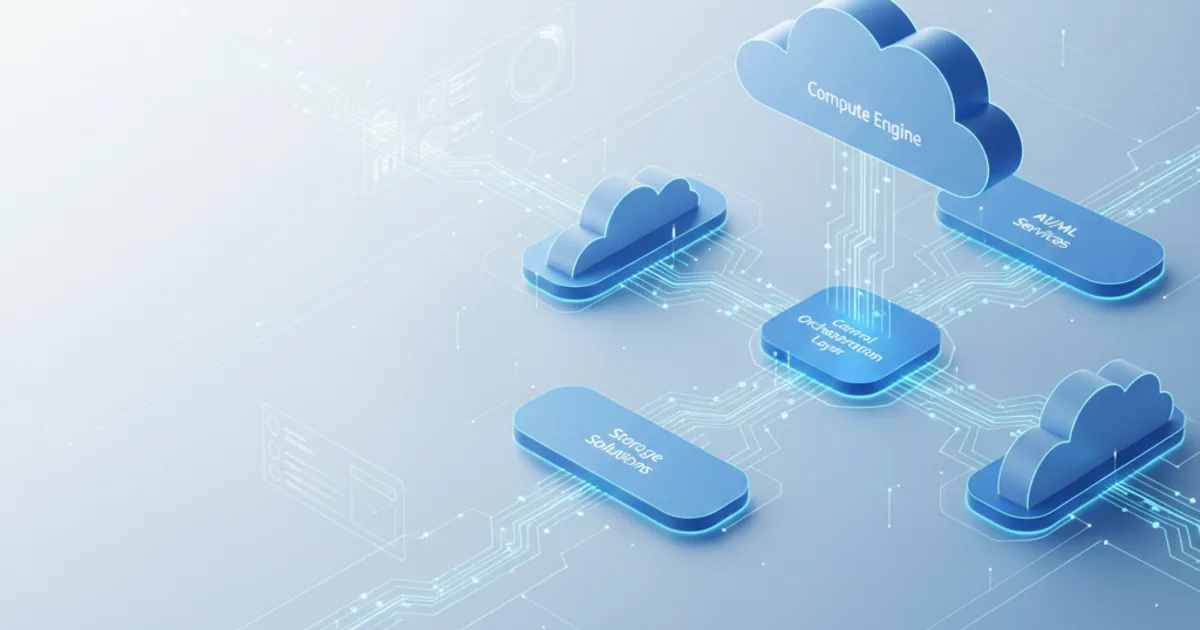
Imagine having top-notch technology without the usual high costs and complexity. This dream is a reality for many business owners. They know that choosing the right infrastructure is key to staying ahead in today's fast-paced digital world.
Deciding on technology can be tough. Hybrid Cloud Computing for Small Business is a game-changer. It mixes the safety of private systems with the growth of public ones, all at a good price.
This approach meets your specific needs without the hassle of managing big systems. SMB cloud solutions let you grow your business while keeping your data safe. This way, you can compete with big companies.
In this detailed guide, we'll share useful tips and steps for small business technology choices. Our goal is to help you understand the benefits of hybrid infrastructure solutions. We aim to make it easier for you to grow your business without overloading your team.
Key Takeaways
- Integrated infrastructure combines private security with public platform benefits for optimal balance
- Cost-effective solutions enable smaller companies to access enterprise-level capabilities without complexity
- Scalability allows operations to grow seamlessly without infrastructure management burden
- Data security remains protected even during public platform outages through strategic architecture
- Strategic middle-ground approach addresses unique organizational needs more effectively than single-model systems
- Actionable implementation strategies reduce technical barriers for business decision-makers
What is Hybrid Cloud Computing?
Hybrid cloud computing is a smart way to mix different cloud models. It gives businesses the flexibility to manage their digital operations better. This approach changes how companies store data, run apps, and scale their tech resources.
It lets companies keep sensitive info safe while using the big cloud providers' power. This is key for businesses to grow and meet changing needs.
This tech combines private and public clouds smoothly. It lets workloads move between platforms based on needs and goals. Small businesses get big enterprise benefits without huge costs.
Hybrid cloud architecture is about managing resources across platforms. It keeps security and operations consistent. Advanced tech makes sure data moves safely and apps work well everywhere.
This is a big step up from old ways that just connected systems without unity.
Core Elements and Technical Framework
Hybrid cloud computing is about combining private and public clouds. It's about balancing data control with the need for more computing power. This is what businesses face every day.
The private cloud infrastructure is the secure base. It holds sensitive data and apps that need extra protection. This part gives businesses the confidence to use cloud tech without losing control over their most valuable assets.
The public cloud component offers access to big cloud providers. It gives businesses unlimited computing power and storage. This is great for small businesses that can't afford to waste resources.
The integration layer connects private and public clouds. It uses secure tech to keep data flowing smoothly. This ensures apps work well everywhere and admins have control over all resources.
This is what makes hybrid clouds different from other cloud setups. It's about working together, not just being separate systems.
Management and orchestration tools help run the hybrid cloud. They monitor performance, enforce security, and optimize costs. This is crucial for small businesses with limited IT staff.
| Cloud Component | Primary Function | Key Characteristics | Typical Use Cases |
|---|---|---|---|
| Private Cloud | Secure data storage and critical application hosting | Dedicated resources, enhanced control, compliance-ready | Customer data, financial systems, proprietary applications |
| Public Cloud | Scalable computing and storage capacity | Shared infrastructure, pay-per-use pricing, unlimited scale | Web applications, development environments, variable workloads |
| Integration Layer | Orchestration and communication between environments | Secure networking, API connectivity, data synchronization | Workload migration, data sharing, unified operations |
| Management Tools | Centralized monitoring and control | Single control plane, automated policies, cost optimization | Performance monitoring, security enforcement, resource allocation |
Distinguishing Features Compared to Alternative Approaches
Hybrid clouds offer unique benefits compared to other cloud models. Pure public cloud deployments are simple but might limit control over data and security. Many businesses find they need more control than public clouds offer.
Private cloud solutions give full control but are expensive and hard to maintain. They're best for specific needs but hard for small businesses to afford.
Traditional on-premises infrastructure offers full control but is costly and hard to manage. It's not agile or scalable, holding back small businesses from growing.
Hybrid clouds let businesses place workloads where they best fit. This means public clouds for customer apps and private clouds for financial data. It's all about finding the right balance.
This approach also ensures business continuity. It lets businesses keep their current systems while moving to the cloud at their own pace. This is great for small businesses that can't afford big changes.
Need expert help with hybrid cloud computing for small business guide?
Our cloud architects can help you with hybrid cloud computing for small business guide — from strategy to implementation. Book a free 30-minute advisory call with no obligation.
What Are the Benefits of Hybrid Cloud for Small Businesses?
Hybrid cloud solutions offer many benefits for small businesses. They help with costs, operations, and security. This makes them a smart choice for both now and the future. They help businesses grow and stay competitive.
Small business owners say hybrid cloud changes how they manage resources and protect their data. It lets them use public cloud resources while keeping control over important systems. This makes their technology more flexible and adaptable.
Achieving Cost Efficiency Through Strategic Resource Allocation
Hybrid cloud is cost-effective because it reduces the need for big upfront investments. Small businesses can avoid spending a lot on hardware and infrastructure. Instead, they only pay for what they use, making costs more flexible.
This change in costs gives small businesses more financial freedom. They no longer have to choose between over- or under-provisioning. With hybrid cloud, they can adjust their resources as needed, without wasting money.
Hybrid cloud can lower costs by keeping steady workloads on owned or private infrastructure and moving variable workloads to public cloud; savings depend on workload mix and ongoing cost management. These savings come from lower costs in many areas, like hardware, maintenance, and power.
| Cost Category | Traditional Infrastructure | Hybrid Cloud Model | Potential Savings |
|---|---|---|---|
| Hardware Investment | $50,000-$150,000 upfront | $0 upfront, pay-per-use | 70-85% reduction |
| Maintenance & Upgrades | 15-20% of hardware cost annually | Included in service fees | 60-75% reduction |
| Facility & Power | $1,500-$3,000 monthly | Minimal on-site requirements | 80-90% reduction |
| IT Staffing | Full-time infrastructure team | Reduced management overhead | 40-60% reduction |
Scalability That Grows With Your Business
Hybrid cloud solutions help small businesses grow without huge investments. They can quickly adjust to changes in demand. This is key for businesses that need to scale fast.
With hybrid cloud, businesses can scale up or down quickly. This is much faster than setting up new hardware. It helps small businesses stay competitive by quickly adapting to new opportunities.
Hybrid cloud also offers more than just computing power. It includes storage, network bandwidth, and specialized services. This means small businesses can access advanced capabilities when needed, without the cost of keeping them running all the time.
Enhanced Security Through Strategic Data Placement
Hybrid cloud solutions address data security concerns for small businesses. They allow businesses to keep sensitive data in private environments while using public cloud resources for less critical data. This approach balances security with efficiency.
Not all data needs the same level of protection. Hybrid cloud lets businesses tailor their security to their specific needs. This way, they can protect sensitive information while still benefiting from public cloud efficiency for other data.
Major cloud providers invest heavily in security, making it hard for small businesses to keep up. Hybrid cloud gives businesses access to these advanced security tools. Hybrid cloud lets small businesses keep sensitive data in a private environment while using the security tools of major public cloud providers.
- Compliance advantages: Maintain regulated data in private environments while meeting industry-specific requirements
- Advanced threat protection: Access enterprise-grade security tools typically beyond small business budgets
- Disaster recovery: Replicate critical data across multiple environments for business continuity
- Security expertise: Leverage provider security teams rather than building internal capabilities
Operational Flexibility and Performance Optimization
Hybrid cloud offers more than just cost savings and security. It also improves application performance and supports disaster recovery. Businesses can quickly adapt to changing needs.
Hybrid cloud allows businesses to run critical applications close to users while using public cloud for less critical tasks. This ensures good performance without wasting money. Small businesses can focus on customer-facing applications while doing other tasks in the cloud.
Hybrid infrastructure supports diverse business needs. It allows for quick setup of new projects and testing without risking production systems. This ensures technology investments stay aligned with business goals.
Hybrid cloud provides cost efficiency without compromising security, scalability for growth and seasonal demands, enhanced security and compliance, reliable business continuity and disaster recovery, and improved application performance.
Challenges Small Businesses Face with Hybrid Cloud
We know that talking about technology means looking at both the good and the bad. This is true for hybrid cloud challenges that small businesses face. The benefits of hybrid cloud are big, but there are also implementation barriers that can slow things down. Knowing these challenges helps businesses plan better and find the right partners for success.
Getting into hybrid cloud needs careful thought about technical stuff, rules, and what your team can do. Small businesses can beat these challenges with good planning and help from experts. We want to give clear advice that gets you ready for managing hybrid infrastructure.
Connecting Private and Public Environments
Integration complexity is the biggest hurdle for businesses going into hybrid cloud challenges. It takes a lot of work to link private and public clouds. You need to set up networks, APIs, and data syncing. Without the right IT team or partners, this can be too much.
Research shows that managing hybrid IT well needs skills in many areas. You have to set up VPNs, secure systems, and manage data transfers. You need to pay attention to network design, firewall rules, and access controls to keep things secure.
Hybrid cloud isn't easy to just plug in and go. It takes a team to manage it well. Cloud providers and your IT team share the work. This can confuse new cloud users.
Also, making sure different cloud platforms work together is hard. Apps might need changes to work in hybrid setups. Data and systems need to match up to keep things running smoothly.
Regulatory Requirements and Data Governance
Compliance and data privacy issues add to the complexity for businesses in certain fields. Companies in healthcare, finance, and e-commerce must follow strict rules. These rules affect how they plan and run their cloud migration for SMBs strategies.
Rules like HIPAA, PCI DSS, and GDPR say where data can go. Small businesses must control access, track data flows, and keep records to prove they follow the rules. Hybrid cloud makes it harder to keep track of compliance than single environments.
When deciding where to store data, businesses must think about where data can be kept. Some data must stay in private clouds to meet rules, while other data can use public clouds. This is called data sovereignty.
"The complexity of managing security and compliance across hybrid environments requires businesses to maintain consistent monitoring, access controls, and security patches across multiple platforms."
Keeping security the same in all environments is a big job. Businesses must keep encryption, authentication, and security settings the same everywhere. This stops security gaps and keeps data safe.
| Challenge Category | Primary Impact | Required Resources | Mitigation Strategy |
|---|---|---|---|
| Integration Complexity | Delayed deployment timelines | Network engineers, cloud architects | Phased implementation approach |
| Security Management | Increased vulnerability risks | Security specialists, monitoring tools | Unified security framework |
| Compliance Requirements | Regulatory penalties | Compliance officers, audit systems | Regular compliance assessments |
| Cost Tracking | Budget overruns | Financial analysts, monitoring software | Automated cost management tools |
Technical Expertise and Operational Capacity
The skills gap is a big problem for small businesses going hybrid. They need to know a lot about networks, cloud management, security, and cost control. Finding people with these skills can be hard and expensive.
There are more barriers than just skills. Planning and managing hybrid setups takes time and effort. Without enough knowledge, you might spend too much on cloud services or face security risks.
Small businesses also struggle with the tools and tech they need. They need monitoring tools, security software, and backup systems to manage hybrid setups. These tools cost money and need updates.
Many small businesses don't have the IT skills needed for cloud migration for SMBs. They can't just rely on cloud providers. They need to understand security, compliance, and how to optimize performance.
We think these challenges are real but shouldn't stop small businesses from exploring hybrid cloud. They should plan carefully and look for partners to help. This way, they can manage the challenges without breaking the bank.
Starting small and gradually building skills is a good approach. Begin with non-critical workloads to learn and get better. This way, you can manage risks and build confidence in managing hybrid setups.
What Are the Key Technologies Behind Hybrid Cloud?
Hybrid cloud architectures use several key technologies. These help small businesses manage resources, store data, and keep information safe. Understanding these technologies is crucial for making smart choices about cloud platforms.
These technologies work together to connect private data centers with public clouds. This creates a flexible and secure environment for growing businesses.
There are three main categories of technology. Each addresses different needs. They must work well together to create a secure hybrid environment.
Virtualization and Containerization
Virtualization is at the heart of hybrid cloud. It creates virtual environments that separate applications from hardware. This makes it easy to move workloads between clouds.
Containerization is a step up from virtualization. It packages applications with their needs into portable units. This lets developers deploy anywhere, anytime.
This combination gives small businesses the flexibility to place workloads where they need. They can run old apps in private centers and new ones in public clouds.
Networking Solutions
Networking solutions are key in hybrid clouds. They connect private and public resources. Dell Technologies says good networks are essential for secure data access.
Several technologies help create reliable connections:
- Virtual Private Networks (VPNs) create secure tunnels between clouds
- Software-Defined Wide Area Networks (SD-WAN) optimize traffic and app performance
- Direct connection services offer fast, secure links to clouds
- Application Programming Interfaces (APIs) enable smooth data flow
The right networking tech depends on your needs. We suggest starting with VPNs and then moving to direct connections as needed.
| Networking Solution | Primary Benefit | Best Use Case | Typical Cost Level |
|---|---|---|---|
| VPN Connection | Encrypted security | Initial deployments with moderate data transfer | Low |
| SD-WAN | Optimized performance | Multi-site businesses with complex routing needs | Medium |
| Direct Connection | High bandwidth and low latency | Large data migrations and real-time applications | High |
| Hybrid Approach | Balanced flexibility | Organizations with varied workload requirements | Variable |
Security Tools
Security tools are vital for protecting hybrid environments. They must work together to keep data and apps safe. A unified security platform is better than separate tools.
Unified identity and access management systems control access across environments. They work with existing systems like Active Directory.
Encryption protects data in transit and at rest. Clouds have built-in encryption, but always check it meets your needs.
Threat detection tools monitor for suspicious activity. They use AI to find security issues. These tools provide a single view of security across all resources.
Compliance systems enforce policies and keep records. They are crucial for businesses in regulated fields like healthcare and finance.
The management layer simplifies managing resources. Cloud management platforms offer dashboards and automation. They make managing resources easier.
While these technologies seem complex, modern cloud platforms make them easier. AWS, Azure, and Google Cloud offer managed services and easy-to-use interfaces. This makes hybrid environments accessible to all, even without technical expertise.
How Do You Choose the Right Hybrid Cloud Provider?
Choosing a hybrid cloud provider is a big step for your small business. It affects how you work and grow. You need to pick a provider that fits your business goals and technical needs.
It's important to find a balance between what you need now and what you'll need later. Your business deserves a partner that understands the challenges of hybrid infrastructure.
Critical Evaluation Dimensions
Choosing the right provider involves looking at several key areas. These areas help ensure your success and sustainability in the cloud.
- Hybrid Integration Capabilities: Check how well the provider connects private and public environments. Make sure workloads can move easily without needing a lot of custom work.
- Service Breadth and Depth: See if the vendor offers a wide range of services. This includes databases, analytics, machine learning, and industry-specific apps that help your business grow.
- Pricing Transparency: Look at the cost structure to make sure you know what to expect. This helps avoid unexpected expenses that can hurt your budget.
- Security and Compliance Support: Make sure the provider meets your industry's security and compliance standards. They should offer tools that make it easy to meet these requirements without needing a lot of security expertise.
- Geographic Presence: Check where the provider's data centers are. This affects how well your apps perform and if they meet data residency rules.
- Technical Support Quality: Find out about the provider's support. Look at how quickly they respond and how knowledgeable their support team is. This is crucial for small businesses without a big IT team.
- Customer Track Record: Research how well the provider works with businesses like yours. Look at their experience in your industry and technical level.
Support quality is often overlooked when choosing a cloud provider. Good support can prevent big problems. For small businesses without a dedicated IT team, this is even more important.
It's also important to consider the provider's culture and how they communicate. A good provider should understand your business, explain things clearly, and really care about your success.
Leading Solutions for Growing Businesses
There are many cloud providers that offer great solutions for small businesses. Each provider has its own strengths that might fit your needs better than others.
These major providers offer reliable infrastructure and a wide range of services. They support many different business applications:
| Provider | Primary Strengths | Hybrid Solution | Best Suited For |
|---|---|---|---|
| Amazon Web Services | Most comprehensive service catalog with mature ecosystem and extensive documentation | AWS Outposts brings native AWS infrastructure on-premises with seamless cloud integration | Organizations prioritizing service variety, scalability, and global reach |
| Microsoft Azure | Strong integration with Microsoft products and familiar management tools | Azure Stack enables consistent Azure services across on-premises and cloud environments | Businesses already invested in Microsoft technologies like Office 365 and Windows Server |
| Google Cloud Platform | Advanced data analytics and machine learning capabilities with developer-friendly tools | Google Anthos provides consistent application deployment across multiple environments | Data-driven organizations seeking sophisticated analytics and containerized workloads |
| Dell Technologies | Integrated hardware and software solutions with unified vendor accountability | Dell EMC infrastructure with assessment tools like Live Optics for planning | Businesses preferring traditional vendor relationships with comprehensive support services |
Amazon Web Services has the widest range of services. It's great for businesses that need a lot of different services. But, it can be too complex for small teams without a lot of cloud experience.
Microsoft Azure is a good choice for businesses already using Microsoft software. It offers easy identity management and licensing benefits. Azure Stack makes it easy to run apps on-premises or in Azure, which is helpful for IT teams already familiar with Microsoft.
Google Cloud Platform is great for data processing, AI, and container orchestration. Google Anthos is unique because it supports deployment on Google, AWS, and Azure. This flexibility is valuable for businesses with data science or modern app needs.
Dell Technologies focuses on integrated infrastructure. It combines hardware, software, and services under one support umbrella. This appeals to businesses that want a single point of contact and traditional vendor relationships. Dell EMC Live Optics helps understand your current infrastructure before migrating.
Many small businesses benefit from working with managed service providers. These experts help choose the right provider, design architectures, manage implementation, and provide ongoing support. This way, you can have more IT capabilities without the cost of hiring full-time cloud specialists.
The best provider isn't just about market share or features. It's about finding a provider that aligns with your business needs, technical capabilities, budget, and growth plans. This makes choosing a provider a strategic business decision, not just a technical one.
When making your final choice, involve more than just the IT team. Finance teams can look at costs, operations managers can evaluate how solutions fit into business processes, and executive leadership can ensure the choice aligns with the company's overall strategy. This collaborative approach leads to stronger decisions and better implementation success.
Migration Strategies to Hybrid Cloud
The path to hybrid cloud starts with a detailed assessment and planning. This is crucial for cloud migration for SMBs. It ensures a smooth transition by aligning technical and business teams. This approach helps your business thrive in the new cloud environment.
Small businesses that don't plan well face costly setbacks. We suggest starting the planning months before moving workloads. This allows for thorough testing and alignment across your team.
Assessing Current Infrastructure
Understanding your current setup is key. A thorough infrastructure assessment is essential. It involves documenting all systems and their connections. This helps in planning the migration effectively.
This assessment uncovers critical system dependencies. For example, your CRM might rely on a database server. Knowing these connections prevents migration mishaps.
We categorize workloads during assessment. This helps decide where they should go. Sensitivity level and performance needs guide these decisions.
Compliance is also a big factor. It determines where certain workloads can go. This is crucial for businesses in regulated fields.
Step-by-Step Migration Process
Our hybrid cloud implementation method is structured. It starts with clear goals. These goals are tailored to your business needs.
After setting goals, we choose providers and design the architecture. Then, we plan the migration, implement security, and execute it in phases. Each step builds on the last, managing complexity.
| Migration Phase | Key Activities | Typical Duration | Success Criteria |
|---|---|---|---|
| Discovery & Planning | Infrastructure assessment, workload classification, provider selection, architecture design | 4-8 weeks | Complete inventory, documented dependencies, approved migration plan |
| Preparation | Security controls implementation, network configuration, testing environments, staff training | 3-6 weeks | Security validation, connectivity verification, trained team members |
| Migration Execution | Workload migration in waves, testing, validation, cutover coordination | 8-16 weeks | All systems operational, performance targets met, business continuity maintained |
| Optimization | Cost monitoring, performance tuning, process refinement, documentation updates | Ongoing | Cost within budget, performance exceeding baseline, documented procedures |
Leading tech providers offer tools to speed up migration. Dell Technologies' ProDeploy Suite shows the value of professional services. It can cut project planning and deployment times significantly.
We recommend starting with low-risk workloads. This builds confidence and refines processes. It also helps develop expertise for more complex systems later.
Data migration is done in stages. We start with test environments, then move to development and non-production systems. Production systems are migrated during maintenance windows.
Common Migration Pitfalls to Avoid
Even with good planning, migrations can face challenges. Knowing common pitfalls helps avoid major mistakes. Avoiding the "big bang" approach is crucial.
Underestimating application dependencies can cause failures. We've seen cases where migrating a web app but leaving the database on-premises resulted in poor performance. This led to emergency rollbacks.
Insufficient testing before going live is risky. We recommend thorough testing to ensure functionality, performance, security, and user acceptance before declaring a migration complete.
- Inadequate network planning: Failing to provision sufficient bandwidth and account for latency between private and public cloud resources
- Poor data governance: Neglecting to establish clear policies before migration, creating compliance vulnerabilities and management challenges
- Insufficient training: Leaving staff unprepared to manage new environments and tools effectively
- Lack of cost monitoring: Allowing cloud spending to exceed budget due to inadequate tracking and optimization
- Parallel operations neglect: Failing to maintain backup systems during transition, risking business continuity
Successful migrations often take 20-30% more time than expected. This extra time allows for necessary adjustments and discoveries. It prevents rushed decisions that can lead to suboptimal configurations.
Involve business stakeholders in the migration process. This ensures technical decisions align with business goals. Regular updates with department leaders help identify and address issues early.
Partnering with experienced providers or consultants is beneficial. They offer proven methodologies and expertise. This is crucial for small businesses lacking in-house cloud architecture knowledge.
Cost Management in Hybrid Cloud
Effective cost management is key to a successful hybrid cloud strategy. It helps businesses save money or avoid unexpected costs. To achieve cost-effective hybrid infrastructure, active management and ongoing optimization are crucial. Without proper budgeting and monitoring, cloud costs can rise quickly and unpredictably.
Dell Technologies found that businesses can cut costs by up to 78% with the right hybrid cloud setup. Yet Flexera's 2025 State of the Cloud Report estimates that 27% of cloud spend is still wasted, so poor setup can lead to overspending on public cloud. This shows how important hybrid cloud cost optimization practices are.
Shopify notes that cloud platforms without long-term contracts and expensive upgrades save money. They let businesses pay only for what they use. This model is flexible but needs careful monitoring to avoid waste.
Planning Your Financial Framework
Business leaders should create detailed financial models for hybrid cloud. Cloud budget management is different from traditional IT budgeting. Cloud providers offer many pricing options, so understanding them is key to saving money.
When budgeting for hybrid cloud, consider all cost categories. Each category affects the total cost of ownership.
- Public cloud consumption charges for computing, storage, and data transfer
- Private cloud infrastructure expenses for hardware, colocation, and maintenance
- Networking and connectivity costs for VPN services and direct connections
- Software licensing fees for management platforms and security tools
- Migration costs for consulting services and staff time
- Training expenses for staff to manage new systems
- Ongoing operational costs for monitoring and support
Deciding where to run workloads affects costs. Some apps are cheaper in private cloud, while others save money in public cloud. The ability to scale resources up and down offers optimization chances but also risks waste.
Accurate forecasts need looking at past usage, understanding growth, and adding buffers for unexpected needs. Financial planning must stay flexible to meet changing business needs while keeping spending in check.
Platforms for Financial Oversight
Tools for cost monitoring have improved a lot, offering small businesses advanced features. Expense tracking platforms give real-time views of spending across clouds.
Cloud providers offer tools like AWS Cost Explorer and Azure Cost Management for detailed views. Third-party platforms like CloudHealth and Spot.io help manage costs across clouds, offering tips to avoid waste.
| Tool Category | Key Capabilities | Best For | Cost Structure |
|---|---|---|---|
| Native Cloud Provider Tools | Consumption analytics, budget alerts, resource recommendations, forecasting dashboards | Single-cloud deployments or organizations heavily invested in one provider | Free with cloud subscription |
| Third-Party Management Platforms | Multi-cloud visibility, automated optimization, chargeback reporting, policy enforcement | Complex hybrid environments with multiple cloud providers | Percentage of cloud spend or subscription-based |
| FinOps Frameworks | Collaborative workflows, cost allocation, showback/chargeback, optimization governance | Organizations seeking cultural transformation around cloud spending | Implementation consulting plus ongoing platform fees |
| Automation Tools | Scheduled scaling, idle resource shutdown, rightsizing execution, anomaly detection | Businesses wanting hands-off optimization and waste reduction | Per-resource or savings-based pricing models |
Financial operations (FinOps) frameworks and tools help manage costs across teams. They show that hybrid cloud cost optimization needs teamwork, not solo efforts.
Automation tools are very useful, letting systems manage resources automatically. This approach saves time and prevents overspending.
We've helped many small businesses manage costs effectively. Clear tagging strategies and budget alerts help track spending accurately. Regular meetings for cost reviews also help optimize spending.
Setting policies to prevent resource waste is crucial. This might include needing approvals for certain resources or automatically deleting unused storage.
Using committed use discounts and reserved instances for predictable workloads saves money. On-demand pricing for variable needs is also cost-effective. A cost-conscious culture helps everyone understand the value of cloud resources.
Organizations that see real cost savings in cost-effective hybrid infrastructure treat cost management as a continuous process. They optimize workload placement, eliminate waste, and align spending with business value. This separates successful implementations from disappointing ones.
The difference between saving money and overspending often comes down to disciplined execution of monitoring and optimization. It's not just about the technology choices.
Hybrid Cloud Storage Solutions
Choosing the right hybrid cloud storage is key for your business. It affects how well you work, how easily you can find data, and how your business can grow. Storage is the base for all business needs, so picking the right cloud storage is crucial. It must balance performance, security, and cost.
Small businesses face many storage choices. They need to be flexible as their data and needs grow. Making smart decisions about where data goes and how it's protected is vital.
Understanding Different Storage Types
We help businesses understand the different storage types in hybrid clouds. Each type has its own strengths for various needs. Knowing these differences helps you save money and improve your infrastructure.
Block storage is for high-speed needs like databases. You can use it in private or public clouds. This flexibility meets demanding app needs.
File storage lets many users access data at once. It's great for teamwork and shared documents. Google Drive and Dropbox are examples of platforms that make teamwork easier.
Object storage is for big amounts of data like images and backups. Public clouds are best for this because they're cheap and scalable. This way, you only pay for what you use.
Dell Technologies focuses on storage for big data. They know different data types need different storage. Hybrid clouds let you choose the best storage for each need.
| Storage Type | Best Use Cases | Performance Level | Typical Location | Cost Structure |
|---|---|---|---|---|
| Block Storage | Databases, transactional systems, virtual machine disks | High performance, low latency | Private cloud for production, public cloud for testing | Higher cost per GB, premium performance |
| File Storage | Collaboration tools, shared documents, content management | Moderate performance, shared access | Distributed across both environments | Mid-range pricing, scalable capacity |
| Object Storage | Backups, archives, media files, unstructured data | Lower performance, massive scale | Primarily public cloud | Lowest cost per GB, pay-as-you-grow |
| Specialized Storage | Data warehousing, disaster recovery, compliance archives | Variable based on requirements | Hybrid deployment for redundancy | Custom pricing based on features |
Implementing Effective Data Management Practices
We suggest detailed data management plans for small businesses. These plans help control data, save money, and keep it safe. It's important to know what data you have and where it is.
Data classification is key to smart storage. It helps sort data by importance and access needs. We advise using automated policies to place data in the right storage tiers.
Clear lifecycle management policies move data to the right storage as needed. This keeps costs down and data accessible. It's a way to grow your cloud environment with your business.
Data protection is crucial. It includes backups, snapshots, and replication. This ensures your business can recover quickly from problems. Without good data management, data can spread out and cause costs and risks.
Modern cloud storage platforms are getting easier to use. They help manage data across different locations and offer advanced services. This makes complex storage simpler for businesses.
Security is a big part of data management. It's important to encrypt data and monitor who accesses it. This helps catch and prevent security issues.
Cost-saving strategies are important for small businesses. Techniques like deduplication and tiering can reduce costs without losing functionality. These methods help stretch limited budgets.
Success in hybrid cloud storage needs ongoing effort. It's about making smart decisions about where data goes. These decisions affect costs and efficiency, so careful planning is key.
Enhancing Security in Hybrid Cloud Environments
Hybrid cloud computing is complex for small businesses to secure. They need strong protection strategies and constant monitoring. It's crucial to understand vulnerabilities and use layered defenses to protect assets.
Creating secure hybrid environments is a big challenge. They must balance user access with strong protection against unauthorized access. It's also important to keep an eye on the whole infrastructure.
Security in hybrid architectures goes beyond traditional defenses. Your organization must handle data and applications moving between clouds. Users from different locations and devices also pose challenges. Building strategies for distributed infrastructure is key.
Recognizing Security Vulnerabilities in Distributed Infrastructures
Hybrid cloud security faces unique challenges. Managing resources across multiple locations and providers is tough. There are more potential entry points for attackers, making awareness of vulnerabilities crucial.
Common vulnerabilities include inconsistent security policies and network connectivity points. These areas are often targeted by attackers. Identity and access management also poses a significant risk.
Data governance is another challenge. Tracking sensitive information across environments is hard. Understanding data flows is essential for protecting information assets.
The shared responsibility model adds complexity. Cloud providers secure the infrastructure, but customers must protect applications and data. This division can lead to gaps in security.
Key vulnerability areas include:
- Misconfigured cloud resources that expose data or services unintentionally
- Inadequate network segmentation allowing lateral movement after initial compromise
- Weak authentication mechanisms relying solely on passwords without additional verification
- Unpatched systems containing known vulnerabilities that attackers can easily exploit
- Insufficient logging and monitoring that delays detection of security incidents
- Shadow IT resources deployed without security team knowledge or oversight
Visibility gaps are a big challenge in hybrid environments. Security teams need to see everything to detect threats early. Without full visibility, threats can spread undetected.
Implementing Comprehensive Security Measures
Building strong defenses requires cybersecurity best practices. We help small businesses create layered protection across their hybrid infrastructure. The goal is to keep data safe no matter where it is.
Identity and access management is key. Multi-factor authentication adds extra verification steps. This makes it harder for attackers to gain access with just a password.
Single sign-on solutions simplify authentication across all cloud resources. Users only need to log in once to access everything. Role-based access controls ensure users can only see what they need to do their job.
Encryption strategies protect data at rest and in transit. Data at rest encryption uses strong algorithms to keep information safe. Data in transit encryption protects information as it moves around. These strategies keep data confidential, even if it's intercepted or accessed by unauthorized parties.
Network security measures create layers of defense. Network segmentation isolates different workloads to limit damage if one is compromised. Next-generation firewalls check traffic for threats and enforce security policies.
Essential security implementations include:
- Deploy intrusion detection and prevention systems that monitor for suspicious activity and automatically block attacks before they succeed
- Implement DDoS protection services to protect against denial-of-service attacks
- Establish security information and event management platforms to gather logs and alerts from all systems
- Enable automated threat detection using machine learning to identify potential security incidents
- Conduct regular vulnerability scanning to find weaknesses and fix them
- Maintain rigorous patch management processes to keep systems up to date and secure
Security monitoring must cover your entire hybrid infrastructure. Real-time visibility helps detect and respond to threats quickly. Continuous monitoring catches unusual activity that may indicate a security issue.
Incident response planning is crucial. It outlines how to handle security events. Regular exercises ensure teams know their roles in real incidents.
Compliance requirements drive specific security measures. Regulations like HIPAA and GDPR impose technical and procedural controls. Cloud providers offer tools to help meet these requirements, but the responsibility lies with your business.
Dell Technologies emphasizes comprehensive security features. These features protect data, maintain control, and enforce policies across all cloud resources. They enable organizations to secure and access data while keeping an eye on assets in the hybrid environment.
Security is an ongoing effort, not a one-time task. Regular assessments, continuous monitoring, and staff training are essential. Cybersecurity best practices evolve as threats change, requiring organizations to adapt their controls and strategies.
Hybrid environments require constant vigilance and proactive security management. By implementing layered defenses, maintaining comprehensive visibility, and treating security as a continuous process, small businesses can create secure environments. This protects assets, maintains customer trust, and allows for the flexibility and performance of cloud computing.
Case Studies: Successful Implementations
We've seen how businesses in different fields use hybrid cloud to boost efficiency, security, and growth. These stories show how cloud adoption changes operations, cuts costs, and helps companies grow. They highlight the technical and business wins, along with the challenges overcome.
Learning from others' cloud journeys helps leaders decide if hybrid cloud is right for them. Real examples show the practical steps, costs, and times needed for success. They help set realistic goals and avoid common pitfalls.
Industry-Specific Implementation Success
In e-commerce, small to mid-sized retailers have seen big wins with hybrid cloud. One online store we helped uses public cloud for their site and content. This lets them handle big sales without expensive equipment all year.
They keep customer data safe in a private cloud, meeting strict security standards. This cut their costs by 45% and improved site speed during busy times. They can now scale up quickly to meet demand.
In finance, an accounting firm shows how hybrid cloud boosts security and efficiency. They keep sensitive data in a private cloud and use public cloud for tasks like analytics. This saved them over 60% on costs and improved security.
This approach also let them offer advanced analytics services. They can now scale resources on demand, attracting bigger clients.
Healthcare benefits from hybrid cloud's unique value. A network of clinics we advised uses private cloud for health records and public cloud for patient services. This saved them money and improved patient access.
This setup helped the clinics grow without increasing IT costs. Patients are happier, and the IT team manages everything from one place.
Software development companies also gain from hybrid cloud. A small agency we worked with uses public cloud for development and private cloud for production. This cut their costs by 52% and sped up development.
They can now quickly set up test environments. This efficiency helps them win contracts against bigger firms.
Manufacturing and logistics benefit from hybrid cloud's analytics capabilities. A small manufacturer we advised uses public cloud for tracking and analytics. They keep core systems private for security. This gives them real-time visibility and keeps data safe.
Critical Success Factors and Practical Wisdom
Through many examples, we've found key patterns for successful hybrid cloud adoption. These lessons guide businesses starting their cloud journey. They help avoid costly mistakes and speed up benefits realization.
Starting with clear business goals is crucial. Companies that define specific outcomes make better decisions and measure success. Cloud strategies without clear goals often fail to deliver expected benefits.
Phased implementations work better than all-at-once changes. Companies that start small, learn, and expand systematically face fewer issues. This approach allows for adjustments based on early experiences.
Executive support and teamwork are vital. Cloud adoption affects many areas, not just IT. Successful projects involve regular talks between tech and business teams. Treating cloud adoption as just an IT project often leads to failure.
We highlight several key factors from successful cases:
- Realistic timelines that account for learning curves, unexpected challenges, and the time required for staff to adapt to new systems and processes
- Adequate training investment ensuring that IT teams and end users can effectively work with new cloud environments and tools
- Experienced partnerships with providers or consultants who bring proven methodologies and can accelerate cloud implementation while reducing risk
- Ongoing optimization commitment recognizing that initial deployments represent starting points rather than finished states that never require adjustment
- Clear success metrics allowing organizations to measure whether hybrid cloud delivers anticipated value and identify areas requiring refinement
Organizations often underestimate the cultural and process changes needed with hybrid cloud. It demands new budgeting, security, and collaboration methods. These changes need careful management for successful adoption.
The best implementations treat hybrid cloud as a business effort with technical parts. This focus on business goals leads to better results and higher satisfaction with cloud investments.
Future Trends in Hybrid Cloud Computing
Innovation in hybrid cloud technology is growing fast. This opens new chances for small businesses to stay ahead by using smart technology. Knowing about the future of cloud computing helps leaders make better choices today. This way, they can use new cloud options as they come.
Understanding these trends helps leaders plan ahead. We help our clients navigate this changing world. We show them what's real and valuable, and what's just a trend.
Technologies Reshaping Cloud Infrastructure
Edge computing is a big change in cloud tech. It brings computing closer to where data is, making apps faster. This is great for apps that need quick data, like retail and IoT.
Edge computing helps small businesses in many areas. It makes data processing faster and cheaper. This is key for businesses that need quick data.
Kubernetes and containerization are getting better. They help build apps that work anywhere. This makes apps easier to move and use, without getting stuck with one provider.
These tools help small businesses use big tech without the big costs. We help clients use these tools to work faster and better.
Cloud-native security is changing how we protect data. It uses zero-trust architectures to check every access. This is important in hybrid clouds where old ways don't work.
- Microsegmentation: Keeps workloads safe by isolating them
- Security service edge technologies: Brings together networking and security in the cloud
- Continuous verification: Checks identity and device health for access
- Policy-based controls: Makes security decisions based on rules
Serverless computing is growing. It lets developers build apps without worrying about the tech. This makes things simpler and could save money.
Small businesses can save money with serverless. They only pay for what they use. This is good for apps that don't always need a lot of power.
Quantum computing is coming. Cloud providers are starting to offer it. It could change fields like cryptography and drug discovery. We tell clients to keep an eye on it.
Sustainability is becoming more important. Companies are choosing cloud providers that use green energy. Clouds can be more efficient than old tech, which is better for the planet.
Artificial Intelligence and Automation Transformation
AI and automation are changing cloud management. They help small IT teams do more with less. This is a big change for small businesses.
AI can do many things, like manage resources and find security threats. It can even fix problems without human help. This makes IT teams more efficient.
Automation is getting better. It can now manage complex tasks across different clouds. This includes moving workloads and fixing problems automatically.
- Automatically moves workloads between clouds based on needs
- Fixes problems without needing a person
- Manages tasks based on rules set by people
- Handles disaster recovery across clouds
AI is becoming easier to use in cloud platforms. This means small businesses can use AI for things like chatbots and forecasting. This makes AI more accessible to everyone.
We help clients find practical uses for AI. This includes chatbots and forecasting. AI can help small businesses in many ways.
The key is to choose the right technology for your business. We advise focusing on what's important for your business. This way, technology helps your business grow, not just adds to costs.
As these trends grow, small businesses can do more. They can stand out in a crowded market. The ones that will do well are those that use these trends wisely.
Conclusion: Is Hybrid Cloud Right for Your Small Business?
Deciding on hybrid cloud computing for your small business needs careful thought. You must consider your company's needs, technical skills, and goals. This approach balances control, security, flexibility, and cost well in IT.
Essential Considerations for Your Decision
When choosing cloud, think about key factors. Hybrid IT management is good for meeting rules, handling old systems, or needing flexibility. It's also cost-effective and grows with your business, helping you keep up with big companies.
It's important to know what resources you need. Your team should have some cloud knowledge, or you can work with experts. Dell Technologies can guide you with Tech Advisors to start your hybrid cloud journey.
Starting Your Implementation Journey
First, make a detailed plan for implementing hybrid cloud. Look at your current setup and pick workloads to move first. Start with small projects to show value and build your team's skills.
Talk to providers through meetings or test projects. These talks show how hybrid solutions fit your needs without big commitments.
Getting everyone on board in your company is key to success. With careful planning and the right partners, hybrid cloud can help your business grow, innovate, and work better in today's digital world.
FAQ
What exactly is hybrid cloud computing and how does it work for small businesses?
Hybrid cloud computing mixes private and public cloud services. It lets businesses keep sensitive data in private clouds. At the same time, it uses public clouds for scalability and cost savings. This way, businesses can choose where to place their workloads for the best performance and cost.
How much can my small business actually save by implementing hybrid cloud computing?
Hybrid cloud can save businesses up to 78% compared to traditional setups. It does this by only using private cloud for sensitive data. Public clouds are used for other workloads, saving on costs. To see these savings, businesses must manage costs continuously and optimize their infrastructure.
Is hybrid cloud more secure than using only public cloud services?
Yes, hybrid cloud is more secure. It keeps regulated data in private clouds. This meets compliance needs. At the same time, it uses public cloud's advanced security tools. This approach requires a comprehensive security strategy and ongoing monitoring.
What are the biggest challenges small businesses face when adopting hybrid cloud?
Integration complexity is a big challenge. It requires connecting private and public clouds. This needs sophisticated networking and API integrations. Compliance and data privacy also add complexity, requiring clear policies and governance.
Skills gaps are another hurdle. Hybrid clouds need knowledge in many areas. This can be hard for small businesses with limited IT budgets.
Which hybrid cloud providers are best suited for small businesses?
Several providers are good for small businesses. Amazon Web Services has a wide range of services. Microsoft Azure is strong for businesses already using Microsoft products. Google Cloud Platform offers advanced analytics and machine learning. Dell Technologies provides integrated solutions with strong support.
Choosing the best provider depends on your business needs. It's not just about features or market share.
How long does it typically take to migrate to a hybrid cloud environment?
Migration times vary. But, most successful migrations take 20-30% more time than expected. This includes discovery, application mapping, and security setup.
Phased approaches help. They allow for learning and adjustment. This way, you can deliver value incrementally while building expertise.
What is a multi-cloud strategy and how does it relate to hybrid cloud?
Multi-cloud strategy uses services from multiple providers. It avoids vendor lock-in and improves resilience. It also optimizes costs by choosing the best provider for each workload.
Hybrid cloud focuses on private and public environments. Multi-cloud addresses workloads across providers. Together, they create a hybrid multi-cloud architecture.
Do I need specialized IT staff to manage a hybrid cloud environment?
Hybrid clouds require knowledge in many areas. This can be a challenge for small businesses. But, modern platforms make hybrid environments accessible.
Working with managed service providers can help. They offer guidance and support. This way, you can extend your IT capabilities without hiring specialized staff.
How do I know which workloads should go in private cloud versus public cloud?
Classify workloads based on sensitivity and compliance. Private clouds are for sensitive data and regulated information. Public clouds are for less critical workloads.
Performance and compliance needs also guide placement. Hybrid clouds offer flexibility to move workloads as needed.
What tools are available to help manage costs in a hybrid cloud environment?
Cost management tools have improved a lot. Cloud providers offer detailed cost visibility. Third-party platforms help optimize costs across multiple clouds.
Implementing cost management practices is key. This includes tagging resources and setting budget alerts. It helps avoid waste and ensures cost efficiency.
How does hybrid cloud support disaster recovery and business continuity?
Hybrid clouds enable disaster recovery and business continuity. They allow for data and application replication across environments. This ensures operations can continue even in outages.
Organizations can maintain production systems in private clouds. Public clouds are used for backup and disaster recovery. This approach offers flexibility and cost savings.
Can hybrid cloud help my small business comply with data privacy regulations like GDPR or HIPAA?
Yes, hybrid cloud helps with compliance. It keeps regulated data in private clouds. This meets GDPR, HIPAA, and other compliance needs.
Cloud providers offer compliance certifications and tools. But, businesses must understand their compliance obligations. They need clear policies and technical controls to meet these requirements.
What role does containerization play in hybrid cloud for small businesses?
Containerization is key in hybrid clouds. It packages applications into portable units. This makes deployment easier and reduces vendor lock-in.
For small businesses, containerization offers benefits like simplified deployment and improved resource utilization. It also enables faster scaling and easier updates. But, it introduces new security and management considerations.
How does edge computing fit into a hybrid cloud strategy?
Edge computing extends hybrid clouds to distributed resources. It enables ultra-low latency applications. This is useful for IoT, retail, and manufacturing.
Edge computing can address specific use cases. It ensures operations continue even without internet. It also reduces bandwidth costs and enables real-time analytics.
What are the networking requirements for connecting private and public cloud environments?
Networking is critical in hybrid clouds. It requires sophisticated approaches for secure and performant communication. This includes VPNs, direct connections, and SD-WANs.
Bandwidth needs vary based on usage patterns. Higher bandwidth is needed for frequent data transfers. Network security measures are also essential to protect against threats.
Related reading: Cloud Computing Services for Small Business Q&A.
About the Author

Country Manager, India
Praveena leads Opsio's India operations, bringing 17+ years of cross-industry experience spanning AI, manufacturing, DevOps, and managed services.
Sources and further reading
Editorial standards: This article was written by a certified practitioner and reviewed by our engineering team. We revise it when the technology or regulation it covers changes; the dates above show the latest update. Opsio maintains editorial independence — we recommend solutions on technical merit, not commercial relationships.