
Effortless Free Cloud SLA Monitoring Tools & Benefits

Country Manager, India
AI, Manufacturing, DevOps, and Managed Services. 17+ years across Manufacturing, E-commerce, Retail, NBFC & Banking
What Is Cloud SLA Monitoring?
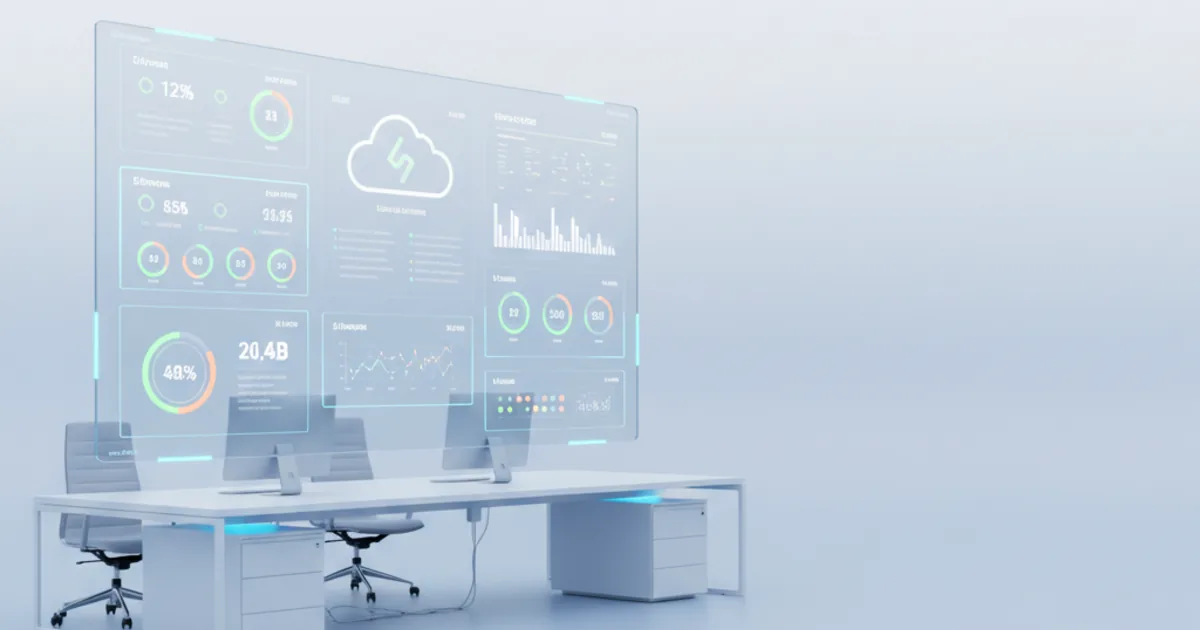
Cloud Service Level Agreements (SLAs) are vital contracts defining the minimum level of service a cloud provider guarantees to its customers. These agreements typically cover aspects like uptime, performance, and data availability. Effective monitoring ensures that these critical commitments are consistently met.
For many organizations, particularly those with budget constraints or just starting their cloud journey, the concept of free Cloud sla monitoring offers an appealing entry point. It allows businesses to gain visibility into their cloud service performance without an immediate financial investment. This guide explores the nuances of free Cloud sla monitoring, helping you determine if it aligns with your operational needs.
What are Service Level Agreements (SLAs)?
Service Level Agreements are formal commitments between a service provider and a client. They detail specific performance metrics, responsibilities, and remedies for non-compliance. In the cloud context, an SLA might guarantee a certain percentage of uptime or define acceptable latency levels.
These agreements are crucial for managing expectations and ensuring accountability from cloud providers. Without proper monitoring, knowing if these contractual obligations are being met becomes impossible. This is where robust monitoring solutions, even those that are no-cost SLA monitoring solutions, play a pivotal role in maintaining service quality.
Why Cloud SLA Monitoring is Essential
Cloud SLA monitoring provides continuous oversight of your cloud services against agreed-upon performance metrics. It acts as an early warning system, alerting you to potential breaches or performance degradations before they impact end-users. Proactive monitoring helps maintain service quality and customer satisfaction.
Moreover, it provides invaluable data for performance analysis and capacity planning. By understanding how your cloud services perform over time, you can make informed decisions about scaling resources or optimizing configurations. Even with free Cloud sla monitoring tools, this level of insight is incredibly beneficial.
The Appeal of free Cloud sla monitoring
The idea of monitoring your cloud services without incurring additional costs is highly attractive to many businesses. free Cloud sla monitoring solutions allow organizations to test the waters, gain experience, and gather essential performance data. This approach can be particularly beneficial for startups, small and medium-sized enterprises (SMEs), or individual developers.
It reduces barriers to entry for critical operational oversight. Instead of committing to expensive subscriptions upfront, you can leverage gratis cloud performance monitoring to understand your specific needs. This helps in making more informed decisions should you decide to transition to a paid solution later.
Initial Cost Savings and Accessibility
The most immediate benefit of free Cloud sla monitoring is the significant reduction in operational expenses. Avoiding licensing fees or subscription costs can free up valuable budget for other critical areas of your business. This accessibility encourages broader adoption of monitoring practices.
Furthermore, free options often come with easier setup processes or a lower learning curve. Many community edition SLA monitoring tools prioritize user-friendliness to foster wider engagement. This makes it simpler for teams with limited resources or specialized expertise to implement effective monitoring.

Exploring Different free Cloud sla monitoring Options
The landscape of free Cloud sla monitoring is diverse, offering various avenues to gain essential visibility into your cloud performance. Understanding these different types can help you choose the best fit for your specific requirements. Each option comes with its own set of advantages and considerations.
Whether you're looking for basic uptime checks or more comprehensive performance insights, there's likely a free solution available. Exploring these distinct categories will provide a clearer picture of what's achievable without financial outlay. This section delves into the most common types of no-cost SLA monitoring solutions.
Open-Source Cloud SLA Monitoring Solutions
Open-source tools represent a significant portion of the free Cloud sla monitoring landscape. These solutions are developed and maintained by a community of users and developers, offering transparency and flexibility. Examples often include popular monitoring frameworks that can be adapted for cloud environments.
Users can access the source code, allowing for deep customization and integration with existing systems. While powerful, they typically require more technical expertise for setup, configuration, and ongoing maintenance. However, the vibrant community often provides extensive documentation and support, making them a strong choice for those with internal IT resources.
Community Edition SLA Monitoring Tools
Many commercial monitoring software vendors offer "community editions" of their products. These versions are typically free for personal use or small teams and come with a subset of the features found in their paid counterparts. They often provide a streamlined user experience compared to fully open-source alternatives.
These tools serve as an excellent way to experience a vendor's platform before committing to a paid subscription. While feature-limited, they often provide sufficient functionality for basic free SLA tracking tools and performance oversight. Users can benefit from a more polished interface and some level of vendor support, usually through forums.
Trial Versions of SLA Tools
Trial versions are another common offering in the realm of free Cloud sla monitoring. These are full-featured versions of commercial monitoring solutions, available for a limited time, typically 7, 14, or 30 days. They provide an opportunity to thoroughly evaluate a product's capabilities before purchase.
Trial versions are ideal for short-term projects or for conducting a detailed proof-of-concept. While not a permanent free solution, they allow organizations to understand the full potential of advanced monitoring. This helps in making an informed decision about investing in a paid solution if the trial proves beneficial.
Gratis Cloud Performance Monitoring Tools
Beyond dedicated SLA tools, various cloud providers and third-party services offer basic gratis cloud performance monitoring as part of their standard offerings. These might include dashboards for basic resource utilization, network latency, or simple uptime checks. They are often integrated directly into the cloud platform.
These tools are excellent for getting foundational insights into your cloud infrastructure's health. While they may not offer advanced SLA reporting, they can effectively cover primary metrics. Combining several of these no-cost SLA monitoring solutions can create a robust monitoring strategy.
Need expert help with effortless free cloud sla monitoring tools & benefits?
Our cloud architects can help you with effortless free cloud sla monitoring tools & benefits — from strategy to implementation. Book a free 30-minute advisory call with no obligation.
What to Look For in free SLA Tracking Tools
When evaluating free Cloud sla monitoring options, it's crucial to look beyond just the "free" aspect. A truly effective tool, even a no-cost one, should provide actionable insights and reliable performance data. Prioritizing certain features will ensure you get the most value from your chosen solution.
Consider your specific monitoring needs and the complexity of your cloud environment. Not all free tools are created equal, and some may be better suited for particular use cases than others. This careful evaluation prevents wasted effort and ensures your monitoring efforts are productive.
Key Features and Capabilities
Effective free SLA tracking tools should offer core functionalities essential for basic performance oversight. These typically include uptime monitoring, which verifies if your services are accessible to users. Latency monitoring is also important, checking the response time of your applications and infrastructure components.
Alerting capabilities are paramount, notifying you instantly when thresholds are breached or outages occur. Integration with common communication channels like email or popular chat platforms enhances responsiveness. Furthermore, basic reporting features that summarize performance trends are incredibly valuable for understanding long-term service health.
Data Granularity and Reporting
The level of detail provided by free Cloud sla monitoring tools varies significantly. Look for solutions that offer sufficient data granularity to diagnose issues effectively, even if it's not as fine-grained as paid alternatives. Daily or hourly metrics are usually adequate for initial assessments.
Reporting features, even if simple, should allow you to visualize trends and identify recurring problems. Graphical representations of uptime, response times, or error rates can be extremely helpful. Understanding the quality of data and reports will guide you towards the best free Cloud sla monitoring options.
ENSURE UNINTERRUPTED SERVICE
Ensure uninterrupted service delivery and proactively prevent costly SLA breaches. Leverage our automated, real
✓ Free consultation✓ No commitment required
✓ Trusted by experts
Limitations and Considerations of No-Cost SLA Monitoring Solutions
While free Cloud sla monitoring offers compelling advantages, it's equally important to understand its inherent limitations. No-cost solutions, by their nature, often come with trade-offs in terms of features, scalability, and support. Being aware of these constraints helps set realistic expectations and plan for potential future needs.
Ignoring these limitations can lead to unexpected challenges down the line, especially as your cloud environment grows or your monitoring requirements become more sophisticated. A thorough understanding ensures you make an informed decision about relying solely on gratis cloud performance monitoring. This section outlines key considerations.
Scalability and Support Challenges
Free Cloud sla monitoring tools often have limitations regarding the number of services they can monitor or the volume of data they can process. As your cloud footprint expands, these tools might struggle to keep up, leading to performance issues or incomplete data. This can become a significant bottleneck for growing organizations.
Support for open-source or community edition SLA monitoring tools typically relies on community forums or user-contributed documentation. While these resources can be robust, they may not offer the guaranteed response times or dedicated support channels of commercial products. For mission-critical systems, this lack of formal support can be a serious concern.
Feature Gaps and Customization Limits
Compared to paid solutions, free Cloud sla monitoring options often lack advanced features like deep application performance monitoring (APM), complex correlation of metrics, or robust security auditing. Integrations with other enterprise tools might also be limited, requiring manual workarounds. This can restrict comprehensive oversight.
Customization options can also be restricted in no-cost SLA monitoring solutions. While open-source tools offer source code access, implementing significant custom features requires considerable development effort and expertise. Community editions or trial versions typically provide even less flexibility for tailoring the tool to unique organizational needs.
Implementing free Cloud sla monitoring: Best Practices
Successfully deploying and utilizing free Cloud sla monitoring involves more than just selecting a tool; it requires a strategic approach. Adhering to best practices ensures that your monitoring efforts are effective, providing valuable insights rather than just raw data. This section offers practical guidance for maximizing the utility of your chosen solution.
Proper implementation lays the foundation for reliable performance visibility and proactive problem-solving. By following these recommendations, even with no-cost SLA monitoring solutions, you can achieve a higher degree of service reliability and operational efficiency. This proactive mindset is key to leveraging free resources effectively.

Setting Clear Objectives
Before diving into any free Cloud sla monitoring solution, define what you want to achieve. Clearly identify the specific services or applications you need to monitor and the critical metrics associated with their SLAs. This objective-driven approach prevents scope creep and focuses your efforts on what truly matters.
For example, your objective might be to monitor the uptime of your main website and ensure API response times remain under a certain threshold. Having these clear targets helps you select the right free SLA tracking tools and configure them appropriately. Without defined goals, monitoring can become a scattershot effort.
Leveraging free Cloud sla monitoring tips
Once objectives are set, look for best free Cloud sla monitoring tips specific to your chosen tool or platform. Many open-source communities and vendor forums share invaluable advice for optimizing configurations and troubleshooting common issues. Learning from others' experiences can save significant time and effort.
- Start Small: Begin by monitoring a few critical services before expanding to your entire cloud infrastructure. This allows you to learn the tool's capabilities and fine-tune your approach.
- Automate Alerts: Configure automatic alerts for critical thresholds. Don't rely on manual checks; proactive notifications are essential for timely incident response.
- Regularly Review Data: Even with free Cloud sla monitoring, consistently review your performance data. Look for trends, anomalies, and potential issues before they escalate.
- Document Everything: Keep a record of your monitoring configurations, alert thresholds, and any custom scripts. This helps with troubleshooting and onboarding new team members.
Interpreting Monitoring Data
Collecting data is only half the battle; correctly interpreting it is crucial for making informed decisions. Understand what different metrics truly represent and how they relate to your SLAs. A spike in latency, for instance, could indicate network congestion or an application bottleneck.
Focus on identifying patterns and baselines. Deviations from these baselines often signal a problem. Use the reporting features of your free SLA tracking tools to visualize historical data and compare current performance against previous periods. This contextual understanding transforms raw data into actionable insights.
Real-World free Cloud sla monitoring Examples
To illustrate the practical applications of free Cloud sla monitoring, let's explore a couple of common scenarios. These examples demonstrate how different organizations can leverage no-cost solutions to achieve essential oversight. They highlight the versatility and value of adopting a free approach, even with limited resources.
Understanding these free Cloud sla monitoring examples can inspire your own implementation strategy. They showcase how basic monitoring principles can be effectively applied across various cloud use cases. Both small-scale and slightly more complex scenarios can benefit from these accessible solutions.
Scenario 1: Small Business Website Uptime
Consider a small e-commerce business hosting its website on a public cloud provider. Their primary concern is ensuring continuous uptime and responsiveness for their customers. They need a simple, reliable way to know if their site is down or experiencing slow loading times.
They could use a basic open-source cloud SLA monitoring tool that periodically pings their website URL from various global locations. If the site fails to respond or response times exceed a predefined threshold, an alert is sent via email or a messaging app. This provides critical visibility without any recurring cost.
Scenario 2: Developer Testing Environment
A development team utilizes a cloud environment for testing new features and applications. While not production-critical, they need to ensure their testing infrastructure remains available and performs adequately for developers to work efficiently. Frequent downtime slows down the entire development cycle.
They might deploy a community edition SLA monitoring tool within their cloud network. This tool could monitor the health of their virtual machines, databases, and network connectivity within the test environment. Alerts could inform developers if a specific service fails, allowing for quick remediation and minimizing disruption.
Frequently Asked Questions (FAQ)
This section addresses common queries regarding free Cloud sla monitoring, providing quick and concise answers. Understanding these fundamental aspects can help you navigate the options and make more informed decisions. These FAQs aim to clarify key concepts and practical considerations.
What is free Cloud sla monitoring?
free Cloud sla monitoring refers to the practice of observing and evaluating the performance of cloud services against Service Level Agreements without incurring direct software or subscription costs. This is often achieved through open-source tools, community editions, basic provider dashboards, or limited trial versions of commercial software. It enables organizations to track key metrics like uptime and response times.
How effective are open-source cloud SLA monitoring tools?
Open-source cloud SLA monitoring tools can be highly effective, especially for users with technical expertise willing to configure and maintain them. They offer immense flexibility and customization options, often providing robust monitoring capabilities comparable to paid solutions for specific use cases. Their effectiveness largely depends on the user's ability to leverage community support and adapt the tools to their environment.
Can free Cloud sla monitoring replace paid solutions?
For basic monitoring needs, smaller organizations, or non-critical environments, free Cloud sla monitoring can indeed provide sufficient oversight. However, for large-scale, complex, or mission-critical cloud deployments requiring advanced features, dedicated support, and higher scalability, paid solutions generally offer more comprehensive capabilities and reliability. Free tools are often a great starting point, but not always a full replacement.
What types of metrics can free SLA tracking tools monitor?
free SLA tracking tools typically focus on core performance metrics essential for service availability. These commonly include website uptime, application response times, network latency, and basic resource utilization (CPU, memory) for cloud instances. Some might offer simple API endpoint monitoring or database availability checks. The range of metrics varies significantly between different free offerings.
Are there any security concerns with no-cost SLA monitoring solutions?
With any software, especially open-source or third-party tools, security is a consideration. Ensure that any no-cost SLA monitoring solutions you choose come from reputable sources, have active development, and are regularly updated. Reviewing community feedback and official documentation for security vulnerabilities is a prudent step. Avoid using tools that require excessive permissions or transmit sensitive data insecurely.
ENSURE UNINTERRUPTED SERVICE
Ensure uninterrupted service delivery and proactively prevent costly SLA breaches. Leverage our automated, real
✓ Free consultation✓ No commitment required
✓ Trusted by experts
Conclusion: Making an Informed Decision
free Cloud sla monitoring offers an accessible and cost-effective pathway to gain crucial visibility into your cloud service performance. It's an excellent starting point for those new to cloud monitoring or operating with limited budgets. By understanding the different types of no-cost SLA monitoring solutions and their respective strengths and weaknesses, you can make a choice that aligns with your immediate needs.
While these tools come with inherent limitations in scalability, features, and support compared to their paid counterparts, they provide invaluable insights that can drive better operational decisions. Leverage best practices, set clear objectives, and meticulously interpret the data to maximize the benefits. Ultimately, the best free Cloud sla monitoring solution is one that effectively meets your critical requirements and helps ensure your cloud services remain reliable.
Related Articles
About the Author

Country Manager, India
Praveena leads Opsio's India operations, bringing 17+ years of cross-industry experience spanning AI, manufacturing, DevOps, and managed services.
Editorial standards: This article was written by a certified practitioner and reviewed by our engineering team. We revise it when the technology or regulation it covers changes; the dates above show the latest update. Opsio maintains editorial independence — we recommend solutions on technical merit, not commercial relationships.


