

Cloud adoption drives agility and innovation, but without deliberate cost controls, spending quickly spirals. According to Flexera's 2025 State of the Cloud Report, organizations waste an estimated 28 percent of their cloud budgets on idle or over-provisioned resources. For DevOps teams shipping code multiple times a day, this waste compounds fast.
This DevOps cloud cost optimization guide gives you a practical playbook for cutting waste, enforcing financial accountability, and building a culture where engineering velocity and cost efficiency coexist. Whether you run workloads on AWS, Azure, or Google Cloud, these strategies apply across providers and team sizes.
Why Cloud Cost Optimization Matters for DevOps Teams
DevOps accelerates delivery, but speed without financial guardrails creates hidden cost centers. Continuous integration and continuous deployment (CI/CD) pipelines spin up dozens of ephemeral environments daily. Developers provision resources on demand, often without clear budgets. The result is a growing gap between cloud spend and actual business value.
Organizations that adopt a structured cloud cost optimization framework typically see 20-35 percent reductions in monthly cloud bills within the first quarter. The key is making cost visibility and accountability a core part of the DevOps workflow, not an afterthought handled by finance alone.
Cloud cost management also directly impacts competitiveness. Every dollar saved on unnecessary infrastructure can be redirected toward product development, hiring, or customer acquisition. Teams that treat cost optimization as a continuous practice, rather than a periodic cleanup, consistently outperform those that do not.
Understanding Cloud Cost Drivers in a DevOps Environment
Before optimizing, you need to understand where the money goes. In a typical DevOps setup, the largest cost categories include compute instances, storage volumes, data transfer, managed databases, and CI/CD pipeline runtime. Each has distinct optimization levers.
Compute costs dominate most cloud bills. Auto-scaling groups, Kubernetes clusters, and standalone VMs all consume resources whether or not they are fully utilized. The dynamic nature of DevOps means resources get provisioned frequently but are not always de-provisioned when workloads finish.
Data transfer charges are often the most surprising line item. Cross-region replication, API calls between services in different availability zones, and egress to end users all carry costs that compound at scale. Storage costs, while cheaper per unit, accumulate through old snapshots, unattached volumes, and data that should have been archived or deleted months ago.
Understanding these drivers is the first step toward implementing effective cloud cost optimization strategies that target the biggest opportunities first.

FinOps: Bridging DevOps and Financial Accountability
FinOps, short for Financial Operations, is the practice of bringing financial accountability to cloud spending. For DevOps teams, FinOps closes the gap between the people provisioning resources and the people managing budgets. It creates shared ownership of cloud costs across engineering, operations, and finance.
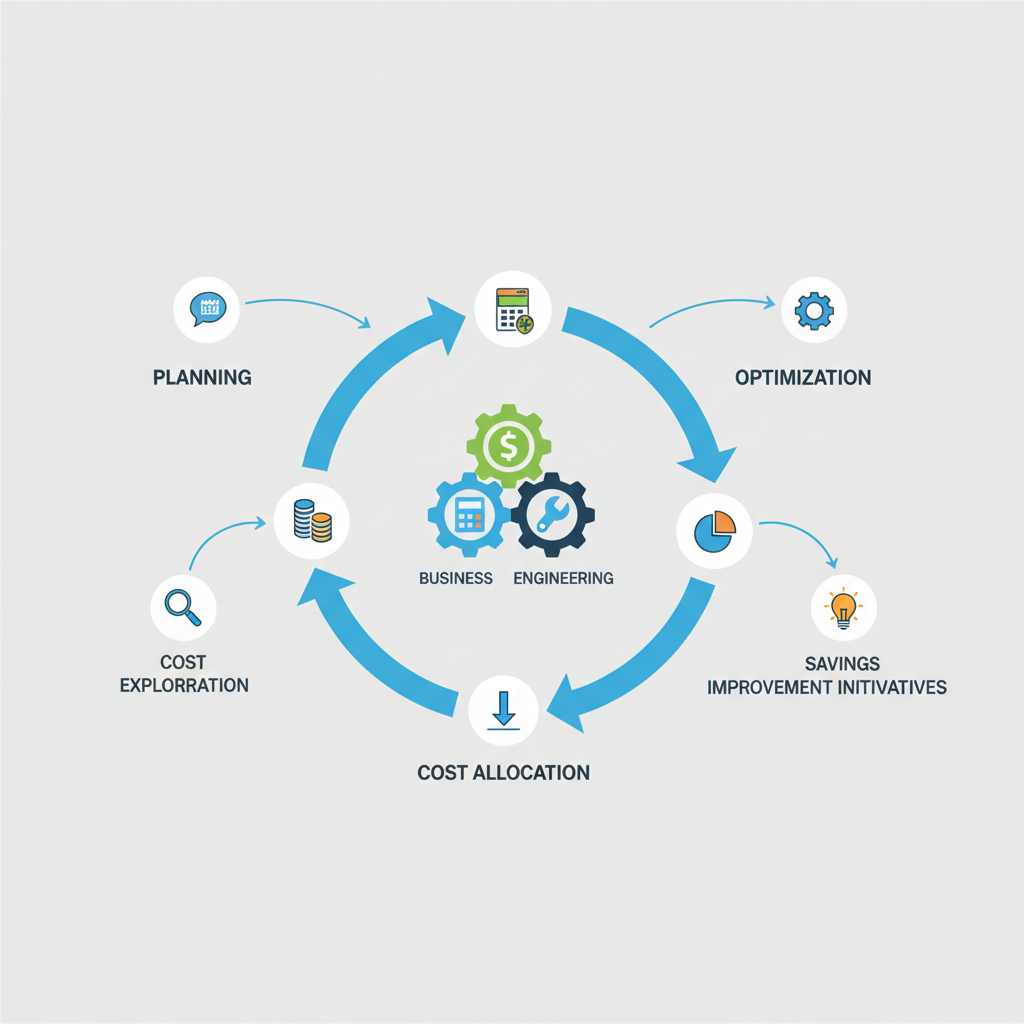
The FinOps lifecycle has three phases: Inform, Optimize, and Operate. In the Inform phase, teams gain visibility into who is spending what, using tagging, cost allocation, and detailed dashboards. The Optimize phase focuses on right-sizing, eliminating waste, and leveraging pricing models like reserved instances and savings plans. The Operate phase embeds cost awareness into daily workflows through automated policies and continuous monitoring.
Implementing FinOps does not require a large dedicated team. Start with a FinOps champion in each engineering squad who reviews the team's cloud spend weekly. Pair this with automated Slack or Teams alerts when spending exceeds predefined thresholds. This lightweight approach builds cost awareness without creating bureaucratic overhead.
Core Cloud Cost Optimization Strategies
Effective cloud cost optimization best practices combine technical controls with organizational discipline. Here are the strategies that deliver the largest returns.
Right-Sizing Cloud Resources
Right-sizing means matching instance types, memory, and storage to actual workload requirements. Most organizations over-provision by 40 percent or more to avoid performance issues. Use cloud-native tools like AWS Compute Optimizer, Azure Advisor, or Google Cloud Recommender to identify instances that are consistently underutilized.
Schedule right-sizing reviews monthly. Compare actual CPU, memory, and network utilization against provisioned capacity. Downsize instances where average utilization stays below 30 percent. For workloads with variable demand, switch to burstable instance families that cost less during low-activity periods.
Optimizing CI/CD Pipeline Costs
CI/CD cost optimization is one of the fastest wins for DevOps teams. Build agents and test environments often run 24/7 even though builds happen during business hours. Switch to on-demand or spot instances for build runners and terminate them immediately after jobs complete.
Cache dependencies aggressively. Downloading packages from scratch on every build wastes both time and compute. Docker layer caching, artifact caching, and incremental builds can reduce pipeline runtime by 40-60 percent, directly lowering the compute cost per deployment.
Consolidate pipelines where possible. Teams that run separate CI/CD pipelines for minor branches often waste resources on builds that never reach production. Limit full pipeline runs to pull requests and main branch merges.
Leveraging Pricing Models
Cloud providers offer significant discounts for predictable usage. Reserved instances and savings plans on AWS can cut compute costs by 30-72 percent compared to on-demand pricing. Azure Reservations and Google Committed Use Discounts offer similar savings.
For fault-tolerant workloads like batch jobs, data processing, and non-critical testing, spot instances offer 60-90 percent discounts. Build your architecture to handle spot interruptions gracefully using checkpointing and queue-based processing patterns.
Combine pricing tiers strategically: use reserved capacity for baseline workloads, on-demand for variable production traffic, and spot for everything that can tolerate interruption.
Serverless and Managed Services
Serverless computing eliminates idle costs entirely. Functions like AWS Lambda, Azure Functions, and Google Cloud Functions charge only for actual execution time, measured in milliseconds. For event-driven workloads, APIs with variable traffic, and scheduled tasks, serverless can reduce costs by 50-80 percent compared to always-on instances.
Managed databases, message queues, and caching services often provide better cost-performance ratios than self-hosted alternatives. The cloud provider handles patching, scaling, and high availability, freeing your DevOps team to focus on application-level work rather than infrastructure maintenance.
RECOMMENDED FOR YOU
Connect With Opsio
Tell us about your business requirement and let Opsio take care of the rest.
✓ No commitment required
✓ Trusted by experts
Advanced Techniques: Containers, Policy-as-Code, and AI
Container Cost Optimization
Container cost optimization requires attention at both the orchestration and application layers. In Kubernetes environments, set CPU and memory requests and limits on every pod. Without resource limits, a single runaway container can consume an entire node's capacity, driving up costs and degrading performance for other workloads.
Enable Horizontal Pod Autoscaling (HPA) to scale pods based on actual demand rather than peak-capacity estimates. Pair HPA with Cluster Autoscaler to dynamically add and remove nodes. For batch and non-urgent workloads, use Kubernetes scheduling features like priority classes and preemption to pack work efficiently onto fewer nodes.
Review your container images regularly. Bloated images increase storage costs, slow deployments, and waste network bandwidth. Switching to minimal base images like Alpine or distroless can reduce image sizes by 80 percent or more.
Policy-as-Code for Cost Governance
Policy-as-code embeds cost guardrails directly into your infrastructure provisioning workflow. Tools like Open Policy Agent (OPA), AWS Service Control Policies, and Azure Policy let you define rules that prevent costly misconfigurations before they reach production.
Common cost policies include blocking the creation of oversized instance types in non-production environments, enforcing mandatory cost-allocation tags on every resource, automatically shutting down development environments outside business hours, and requiring approval for any resource that exceeds a defined monthly cost threshold.
These policies operate at the infrastructure layer, catching cost issues during the Terraform plan or CloudFormation changeset stage rather than on next month's invoice.
AI-Driven Anomaly Detection and Forecasting
Modern cloud cost optimization tools use machine learning to detect spending anomalies in real time. Instead of discovering a misconfigured auto-scaling group on your monthly bill, ML-based alerts flag unusual spend patterns within hours. AWS Cost Anomaly Detection, Azure Cost Management alerts, and third-party platforms like Kubecost and CloudHealth all offer this capability.
Predictive forecasting models analyze historical usage patterns to project future spending. These forecasts help you make informed decisions about reserved instance purchases, capacity planning, and budget allocation. The more granular your tagging and cost allocation, the more accurate these forecasts become.
Building a DevOps Budget Management Framework
Sustainable DevOps budget management requires structure, not just tools. Start by establishing per-team or per-project budgets based on historical spend and projected growth. Set budgets at the environment level too: production, staging, development, and sandbox each have different cost profiles and tolerance for optimization.
Implement a tiered alert system. A warning at 70 percent of budget gives teams time to investigate and adjust. A critical alert at 90 percent triggers immediate review. An automatic enforcement action at 100 percent, such as blocking new resource creation, prevents runaway costs from exceeding approved limits.
Schedule biweekly cost review meetings with engineering leads and a finance representative. Review cost-per-deployment, cost-per-customer, and infrastructure cost as a percentage of revenue. These unit economics metrics connect cloud spending directly to business outcomes, making cost discussions more productive than reviewing raw dollar amounts.
Document and share optimization wins. When a team reduces their monthly cloud bill by 30 percent through right-sizing, publicize it. Recognition reinforces the behavior you want to see across the organization and creates a library of proven optimization patterns others can replicate.
Multi-Cloud Cost Management
Organizations running workloads across AWS, Azure, and Google Cloud face additional complexity. Each provider uses different pricing units, discount structures, and billing formats. Without centralization, cost data lives in silos that prevent holistic optimization.
Adopt a centralized cost management platform that aggregates billing data from all providers into a single dashboard. Tools like CloudHealth, Cloudability, and Spot by NetApp normalize costs across providers, enabling apples-to-apples comparisons. Standardize your tagging taxonomy across all clouds so that a tag like team:platform means the same thing in AWS, Azure, and GCP.
Multi-cloud cost optimization also means placing workloads on the provider that offers the best price-performance ratio for each use case. Compute-heavy batch jobs might be cheapest on one provider, while managed database services are more cost-effective on another. Let data, not loyalty, drive placement decisions.
Best Practices Checklist
Apply these cloud cost optimization best practices as a recurring checklist for your DevOps team:
- Automate resource lifecycle: Provision and de-provision infrastructure programmatically. Manual processes lead to orphaned resources and forgotten test environments.
- Enforce tagging: Require cost-allocation tags on every resource. Block deployments that lack required tags using policy-as-code.
- Right-size monthly: Review utilization data and downsize or terminate underused resources on a regular cadence.
- Delete unused resources: Audit for orphaned snapshots, unattached volumes, idle load balancers, and stale DNS records weekly.
- Leverage committed discounts: Purchase reserved instances or savings plans for stable baseline workloads. Use spot instances for fault-tolerant jobs.
- Optimize data transfer: Co-locate services to minimize cross-region and cross-AZ traffic. Use CDNs to reduce egress costs.
- Implement storage lifecycle policies: Automatically tier infrequently accessed data to cheaper storage classes. Set expiration rules for temporary data.
- Monitor continuously: Deploy real-time cost dashboards and anomaly detection. Do not wait for the monthly invoice to discover problems.
Common Pitfalls to Avoid
Even well-intentioned cost optimization efforts fail when teams fall into predictable traps. Over-provisioning "just in case" is the most common mistake. Engineers default to larger instances because they fear performance degradation, but data consistently shows that most workloads use less than half their provisioned capacity.
Ignoring data transfer costs is another frequent pitfall. Teams optimize compute and storage but overlook the cross-region and egress charges that can represent 10-15 percent of the total bill. Audit data flow paths quarterly and restructure architectures that generate unnecessary transfer charges.
Treating cost optimization as a one-time project rather than a continuous practice guarantees that savings erode. Cloud environments change constantly as new services launch, traffic patterns shift, and teams deploy new features. Build optimization into your sprint cadence by including cost review as a standing agenda item in retrospectives.
Finally, failing to connect cost metrics to business outcomes makes optimization feel like punishment rather than progress. Frame savings in terms of what they enable: faster hiring, more experimentation budget, or improved margins. This keeps teams motivated and aligned with organizational goals.
RECOMMENDED FOR YOU
Connect With Opsio
Tell us about your business requirement and let Opsio take care of the rest.
✓ No commitment required
✓ Trusted by experts
Frequently Asked Questions
What is cloud cost optimization?
Cloud cost optimization is the process of reducing cloud spending while maintaining or improving performance and reliability. It involves right-sizing resources, eliminating waste, leveraging provider discounts, and implementing governance frameworks that make cost awareness a shared responsibility across engineering and finance teams.
How does FinOps help DevOps teams reduce cloud costs?
FinOps brings financial accountability into DevOps workflows by giving engineering teams visibility into their cloud spending, establishing per-team budgets, and creating feedback loops between cost data and technical decisions. It bridges the gap between the people who provision infrastructure and the people who manage budgets.
What are the best cloud cost optimization tools?
Native tools include AWS Cost Explorer, AWS Compute Optimizer, Azure Cost Management, Azure Advisor, and Google Cloud Recommender. Third-party platforms like CloudHealth, Kubecost, Spot by NetApp, and Cloudability provide multi-cloud visibility, anomaly detection, and automated optimization recommendations.
How much can right-sizing save on cloud costs?
Right-sizing typically reduces compute costs by 20-40 percent. Most organizations over-provision resources by 40 percent or more. Monthly reviews using cloud-native recommendation tools identify instances where actual utilization consistently stays below 30 percent of provisioned capacity.
What is the difference between reserved instances and spot instances?
Reserved instances offer 30-72 percent discounts in exchange for a 1-3 year usage commitment, making them ideal for stable baseline workloads. Spot instances offer 60-90 percent discounts but can be interrupted with short notice, making them suitable for fault-tolerant batch processing, testing, and data analysis workloads.